
Server data from the Official MCP Registry
Personal finance for your AI agent: money goals, a budget, and a weekly review of your accounts.
About
Personal finance for your AI agent: money goals, a budget, and a weekly review of your accounts.
Remote endpoints: streamable-http: https://api.candor.money/mcp
Security Report
Valid MCP server (1 strong, 1 medium validity signals). No known CVEs in dependencies. Imported from the Official MCP Registry.
Endpoint verified · Requires authentication · 1 issue found
Security scores are indicators to help you make informed decisions, not guarantees. Always review permissions before connecting any MCP server.
Permissions Found in Source Code
Found by scanning the linked source code. This listing connects to a hosted endpoint, so none of this runs on your machine: it describes what the server software does where it is hosted.
How to Connect
Remote Plugin
No local installation needed. Your AI client connects to the remote endpoint directly.
Add this to your MCP configuration to connect:
{
  "mcpServers": {
    "money-candor-candor-finance": {
      "url": "https://api.candor.money/mcp"
    }
  }
}Documentation
View on GitHubFrom the project's GitHub README.
Candor Finance
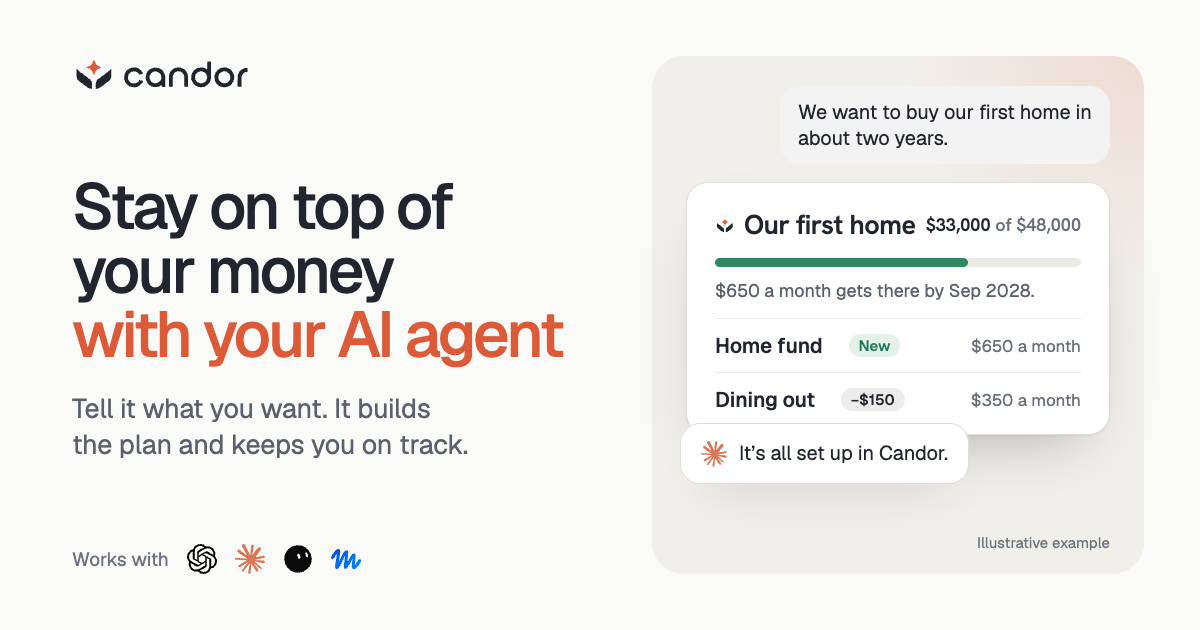
Candor is a personal finance app that helps you reach your money goals with ChatGPT, Claude, or the AI agent you already use. Your agent works from your real bank, card, loan, and investment accounts: it sets up goals and a budget with you, finds money you are losing to fees, price increases, or missed refunds, and remembers your plan and decisions between conversations. Every week Candor reviews your spending, bills, debt, savings, and investments and tells your agent what's worth talking through and why. Candor never moves money.
Start free trial · See how it works · Security
- Works with ChatGPT, Codex, Claude, Claude Code, Grok Bot, Gemini CLI, OpenClaw, Hermes, and any agent that supports MCP and Agent Skills.
- US accounts connect read-only on Candor's website.
- Your data is not sold or used to train models.
- Every agent action is recorded with its reason.
Add Candor to your agent
| Agent | Where to get it |
|---|---|
| ChatGPT and Codex | Candor Finance in ChatGPT's directory |
| Claude | Candor Finance in Claude's directory |
| Claude Code | Install from this repo's marketplace |
| Gemini CLI, OpenClaw, Hermes, and others | Send your agent START.md |
Your agent asks you to approve its access once, then takes its first look. Setup guides for each agent are at candor.money/connect.
What stays true
- Candor never moves money. Accounts connect read-only through a bank-grade connection provider. Your agent acts outside Candor only with your okay.
- Figures come from your records. Candor computes totals, budgets, and goal paces from your accounts, so your agent isn't guessing a plausible number.
- You can see what your agent did and why. Every action is recorded with its reason, and your plans and decisions stay saved when you switch agents.
- Your data isn't sold or used to train models. No ads. You're the customer. See Privacy.
What this plugin runs and sends
- No hooks, commands, agents, or background processes. The plugin adds skills and one MCP server, nothing else.
- Skills are instructions. Each skill is Markdown. The full checkup skill
also includes
scripts/review-sweep.mjs, a helper the agent can run with Node on Candor responses it saved. It reads only the files it is given, prints a summary, and makes no network requests. - One MCP server, Candor's own. It is the hosted server at
https://api.candor.money/mcp, which your agent authorizes with OAuth. Through it the agent reads and saves your Candor workspace. It cannot move money or change anything at a financial institution. - Two non-secret headers. Requests to that server carry
Candor-Agent-Package-Versionand, where the host supports it,Candor-Agent-Package-Route, naming the package version and where it was installed from. Neither holds a credential or personal data. - No local secrets. The plugin reads no environment variables, credentials, or local files beyond those the agent hands the helper script.
openclaw/is separate. That subtree is a CLI-based skill for OpenClaw only and is not part of this plugin.
For agents: connection materials
The official package for Candor. It gives the AI agent you already use the person's records, the figures Candor computes from them, the goals, budget, rules, and notes it keeps, and Candor's weekly review, plus one skill per job: getting started, planning a goal, budgeting, weekly check-ins, a full checkup, sorting transactions, finding money, tax prep, and adding records.
Give your agent START.md. It has the MCP connection, skill download, and supported package options. The agent uses its own harness's setup workflow and asks you only for steps it cannot complete.
- MCP:
https://api.candor.money/mcp, Streamable HTTP with OAuth discovery and dynamic client registration. Your harness obtains its own client ID; no shared client secret is needed. - Skills: every directory under skills/.
candor-financeis the front door and the rest are workflows. START also links a single-skill ZIP that carries all of them for hosts that upload one skill. - Supported packages: Agent Plugins 1.0.0 (
plugin.json,skills/,mcp.json), Claude and Codex marketplaces (.claude-plugin/and.codex-plugin/), and a Gemini CLI extension (gemini-extension.json). Use whichever format your harness supports, or install skill and MCP separately.
Your harness owns installation, authorization, skill locations, and reloads.
Keep working installations. Once the skill and tools are available, call
candor_open for MCP or run candor open for the CLI, then continue into
the user's financial task. Use a private runtime or per-user account isolation
before authorizing personal financial access on a shared host.
Grok Bot installs the cursor/ plugin from the Cursor Marketplace. It pairs
the same MCP-based skill with the remote MCP server and is listed for Grok Bot
only; .cursor-plugin/marketplace.json points the marketplace at it.
The root skill uses MCP, including for capable OpenClaw and Hermes hosts.
The separate openclaw/skills/ projection uses the Candor CLI and is only for
CLI installations. Keep the skill matched to the connection it operates.
Candor continues to enforce sign-in, access, and financial-data permissions.
Manage your Candor account and subscription at app.candor.money. When Candor gives the agent a secure account link, it explains the required step and opens that exact page.
Except for the scoped MIT-0 OpenClaw skill subtree and the scoped MIT
cursor/ plugin, Copyright 2026 Candor Systems, Inc. All rights reserved.
See LICENSE.
Release notes
See the changelog for changes by package version.
Reviews
No reviews yet
Be the first to review this server!
More Finance MCP Servers
Toleno
Freeby Toleno · Developer Tools
Toleno Network MCP Server — Manage your Toleno mining account with Claude AI using natural language.
MCP Marketplace
Freeby mcp-marketplace · Developer Tools
Search and install MCP servers from inside your AI client.
mcp-creator-python
Freeby mcp-marketplace · Developer Tools
Create, build, and publish Python MCP servers to PyPI — conversationally.
by Lharries · Communication
Read, search, and send WhatsApp messages through your AI assistant
FinAgent
Freeby mcp-marketplace · Finance
Free stock data and market news for any MCP-compatible AI assistant.
Memory
Freeby Modelcontextprotocol · Productivity
Knowledge graph-based persistent memory across sessions