
Server data from the Official MCP Registry
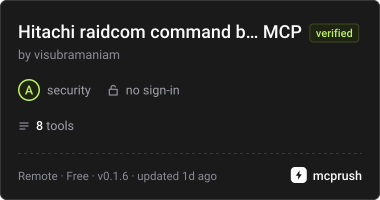
Builds and checks Hitachi raidcom commands and scripts. Build-only: never contacts a storage system.
About
Builds and checks Hitachi raidcom commands and scripts. Build-only: never contacts a storage system.
Security Report
Valid MCP server (2 strong, 4 medium validity signals). No known CVEs in dependencies. Package registry verified. Imported from the Official MCP Registry. Trust signals: trusted author (6/6 approved).
5 files analyzed · 1 issue found
Security scores are indicators to help you make informed decisions, not guarantees. Always review permissions before connecting any MCP server.
Permissions Required
This plugin requests these system permissions. Most are normal for its category.
What You'll Need
Set these up before or after installing:
Environment variable: RAIDCOM_TRANSPORT
Environment variable: RAIDCOM_HTTP_TOKEN
How to Install
Add this to your MCP configuration file:
{
  "mcpServers": {
    "io-github-visubramaniam-raidcom-mcp": {
      "env": {
        "RAIDCOM_TRANSPORT": "your-raidcom-transport-here",
        "RAIDCOM_HTTP_TOKEN": "your-raidcom-http-token-here"
      },
      "args": [
        "-y",
        "raidcom-mcp"
      ],
      "command": "npx"
    }
  }
}Documentation
View on GitHubFrom the project's GitHub README.
raidcom-mcp: build Hitachi raidcom commands from plain-language requests


A community MCP server that turns a request such as "present four 100 GB volumes from pool 0 to host esx01 on CL1-A and CL2-A" into validated raidcom commands. It is build-only: it never connects to a storage system, never runs a command and holds no credentials. It returns command text (or a shell script) for a person to review and run on a host with CCI installed. That makes it safe to host online for anyone to use.
It is an independent project, not an official Hitachi Vantara product.
What it does
- Finds the right command.
raidcom_list_commandsranks the 178 commands in the catalogue against a question (BM25 with synonyms and verb intent) and says how confident it is. - Builds one command.
raidcom_build_commandtakes a command name and options as structured data, checks them against the manual's syntax and the storage model's limits, and returns the command line. - Builds many.
raidcom_build_scriptrepeats steps over ranges (foreach,zip), addsget command_statusafter asynchronous commands, optionally locks the resource group, and returns a script that stops at the first failure. - Ready-made workflows.
raidcom_list_recipesandraidcom_build_recipecover 14 common jobs: FC, iSCSI and NVMe/TCP provisioning, DP pools, mainframe (3390) pools, extending and deleting volumes, command devices, zero-page reclaim, inventory, copy groups. - Checks an existing command.
raidcom_check_commandparses a pasted command line (never executing it; shell operators are refused) and reports every problem. - Knows the model limits.
raidcom_model_limitsgives the LDEV, LUN, pool, serial and port ranges of VSP One Block 24/26/28, VSP 5000 series and VSP E series.
All eight tools are marked read-only. There is no tool that executes anything.
Use the hosted server
A public instance runs at https://raidcom-mcp.onrender.com/mcp. It needs no sign-in.
- Claude (desktop or web): Settings → Connectors → Add custom connector, paste the URL, leave the advanced (OAuth) settings empty.
- Claude Code:
claude mcp add --transport http raidcom https://raidcom-mcp.onrender.com/mcp - Microsoft 365 Copilot (Copilot Studio): your agent → Tools → Add a tool → New tool → Model Context Protocol; paste the URL, authentication None.
- GitHub Copilot (VS Code): add
{ "servers": { "raidcom": { "type": "http", "url": "https://raidcom-mcp.onrender.com/mcp" } } }to.vscode/mcp.json, then use Copilot Chat in Agent mode.
To run it yourself instead, see Setup.
How the catalogue is made
spec/raidcom-catalog.json is generated by scripts/generate-catalog.mjs from the text of the Command Control Interface Command Reference (MK-90RD7009). For every command it keeps the name, supported models, a one-line summary, each syntax form (as a small grammar), each option's value shape and a short description, and the command lines of the manual's examples. Hitachi's prose, tables and output samples are not copied. The manuals themselves are not part of this repository; to regenerate the catalogue with your own copy:
pdftotext -layout CCI_Command_Reference.pdf cci-reference.txt
npm run generate-catalog -- cci-reference.txt
tests/unit/catalog.test.mjs replays every example in the manual through the parser and validator (about 96% pass; the rest are places where the manual's syntax line and its examples disagree).
Validation
- Unknown options, wrong number of values, values outside an option's allowed words, and missing required options (checked against the syntax grammar) are errors with a suggested fix.
- LDEV IDs, LUN IDs, pool IDs, serial numbers and port names (
CL1-A,CL3-B-12) are checked against the model you give, or the widest range of any model. - Values that a shell could misread (
; | & $ \> < ' "and so on) are refused, values containing spaces or#are quoted, and values starting with-are refused so they can't add options. Global options (instance,pair_type,serial`, ...) are checked before anything is written. See SECURITY.md. - LDEV IDs can be decimal,
0xhex or mainframe CU:LDEV (dd:0f); recipes and scripts expand ranges such as100-109anddd:00-dd:0f. - Because the manual's syntax lines are occasionally incomplete,
strict: falseturns missing option errors into warnings. Unknown options and out-of-range values stay errors. - Out of scope: the
pair*commands (paircreate, pairdisplay, ...) from the Quick Reference, andraidcom -login/-logoutlines as commands of their own (scripts can add them withlogin: true, reading$RAIDCOM_USERand$RAIDCOM_PASSWORDfrom the shell).
Setup
You need Node.js 22.19 or later. The server is on npm, so most clients can start it with npx:
Claude Code
claude mcp add raidcom -- npx -y raidcom-mcp
Claude Desktop
Add to claude_desktop_config.json:
{
  "mcpServers": {
    "raidcom": { "command": "npx", "args": ["-y", "raidcom-mcp"] }
  }
}
From source
git clone https://github.com/visubramaniam/raidcom-mcp.git
cd raidcom-mcp
npm ci
npm run build
Then use node /path/to/raidcom-mcp/dist/index.js as the command in the examples above.
Claude Desktop, standalone packages
Each release has a Claude Desktop extension (.mcpb), standalone packages for macOS, Linux and Windows with Node.js bundled, the npm package, and a skill zip. See INSTALL.md.
Claude Code plugin
/plugin install raidcom-community --marketplace visubramaniam/raidcom-mcp
See README.plugin.md.
Hosted over HTTP
RAIDCOM_TRANSPORT=http RAIDCOM_HTTP_HOST=0.0.0.0 RAIDCOM_HTTP_TOKEN=$(openssl rand -hex 32) \
RAIDCOM_HTTP_BEHIND_TLS_PROXY=true RAIDCOM_HTTP_ALLOWED_HOSTS=raidcom.example.com node dist/index.js
The endpoint is /mcp (stateless Streamable HTTP). /healthz reports the version and, behind a proxy, the address the server takes as the caller's, to check the proxy settings.
Clients that add servers as connectors (Claude, Microsoft 365 Copilot) can't send a fixed bearer token: they connect without authentication or through OAuth, which this server doesn't implement. For them, run without a token and with RAIDCOM_HTTP_OPEN=true, as the public instance does. Behind Cloudflare (Render, for example), set RAIDCOM_HTTP_CLIENT_IP_HEADER=cf-connecting-ip so the rate limits apply per user. See INSTALL.md and README.docker.md.
Configuration
| Variable | Default | Meaning |
|---|---|---|
RAIDCOM_TRANSPORT | stdio | stdio or http |
RAIDCOM_HTTP_HOST | 127.0.0.1 | Address to listen on |
RAIDCOM_HTTP_PORT | 8361 | Port (0 picks a free one) |
RAIDCOM_HTTP_TOKEN | none | Bearer token, at least 32 characters. Required unless RAIDCOM_HTTP_OPEN=true |
RAIDCOM_HTTP_OPEN | false | Serve anyone who can reach the port, without a token |
RAIDCOM_HTTP_TLS_CERT, RAIDCOM_HTTP_TLS_KEY | none | PEM files; the server then speaks HTTPS |
RAIDCOM_HTTP_BEHIND_TLS_PROXY | false | A proxy or load balancer ends TLS. Needed for non-loopback addresses without TLS |
RAIDCOM_HTTP_ALLOWED_HOSTS | none | Extra Host values to accept (* for any) |
RAIDCOM_HTTP_ALLOWED_ORIGINS | none | Origin values to accept (* for any) |
RAIDCOM_HTTP_RATE_LIMIT | 120 | Requests per minute per client (0 for none) |
RAIDCOM_HTTP_CLIENT_IP_HEADER | none | A header your proxy sets to the client's address, e.g. cf-connecting-ip behind Cloudflare (Render uses Cloudflare). Takes precedence over X-Forwarded-For |
RAIDCOM_HTTP_DEBUG_CLIENT | true | /healthz also shows the forwarding headers it received (the caller's own request), to choose the two settings above. Set to false to turn it off |
RAIDCOM_HTTP_TRUST_PROXY | false | Take the client address from X-Forwarded-For: true for one proxy in front, or the number of proxies (see INSTALL.md) |
MCPRUSH_TOKEN | none | Token issued by the mcprush marketplace. Adds a second endpoint (below) that answers only requests carrying it in x-mcprush-token; /mcp is unchanged |
RAIDCOM_HTTP_MCPRUSH_PATH | /mcprush | Path of that endpoint |
RAIDCOM_CATALOG, RAIDCOM_LIMITS, RAIDCOM_RECIPES, RAIDCOM_EXAMPLES | bundled | Use another spec file (an empty RAIDCOM_EXAMPLES turns the example questions off) |
Values are trimmed, and true/false settings accept any case; any other value for them stops the server with a message. At startup the server warns about RAIDCOM_ variables it doesn't recognise (a misspelt name, or one with a stray space), and over HTTP logs one line with its effective settings.
Tests
npm test
runs the unit tests (tests/unit) and the search evaluation (tests/search-eval.mjs: 40 tuning and 30 held-out requests, each with a minimum top-1 and top-3 score that may only go up, and a check that results rated high-confidence are right at least 85% of the time). npm run package builds the release packages and npm run smoke tests the npm package as installed.
Documentation
The wiki has a quick start, deployment guide, tools and recipe reference, troubleshooting and more.
Contributing
See CONTRIBUTING.md. Security problems: SECURITY.md. Privacy: PRIVACY.md.
License
MIT, see LICENSE. "Hitachi", "raidcom" and "VSP" are trademarks of their owners; this project is not affiliated with or endorsed by Hitachi.
Reviews
No reviews yet
Be the first to review this server!
More Developer Tools MCP Servers
Rea
Freeby Morluto · Developer Tools
Reverse engineer anything from your terminal or agent with one CLI and MCP server.
Paperclip
Freeby Paperclipai · Developer Tools
Trending hip-hop artist momentum scores across four cultural dimensions.
Fetch
Freeby Modelcontextprotocol · Developer Tools
Web content fetching and conversion for efficient LLM usage
Git
Freeby Modelcontextprotocol · Developer Tools
Read, search, and manipulate Git repositories programmatically
Toleno
Freeby Toleno · Developer Tools
Toleno Network MCP Server — Manage your Toleno mining account with Claude AI using natural language.
MCP Marketplace
Freeby mcp-marketplace · Developer Tools
Search and install MCP servers from inside your AI client.