
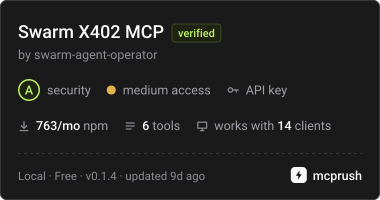
Pay-per-call x402 services from SWARM: repo scans, web research. USDC on Base.
About
Pay-per-call x402 services from SWARM: repo scans, web research. USDC on Base.
Security Report
Valid MCP server (2 strong, 3 medium validity signals). No known CVEs in dependencies. Package registry verified. Imported from the Official MCP Registry.
3 files analyzed · 1 issue found
Security scores are indicators to help you make informed decisions, not guarantees. Always review permissions before connecting any MCP server.
Permissions Required
This plugin requests these system permissions. Most are normal for its category.
What You'll Need
Set these up before or after installing:
Environment variable: SWARM_WALLET_KEY
Environment variable: SWARM_MAX_USD
How to Install
Add this to your MCP configuration file:
{
  "mcpServers": {
    "io-github-swarm-agent-operator-swarm-x402-mcp": {
      "env": {
        "SWARM_MAX_USD": "your-swarm-max-usd-here",
        "SWARM_WALLET_KEY": "your-swarm-wallet-key-here"
      },
      "args": [
        "-y",
        "swarm-x402-mcp"
      ],
      "command": "npx"
    }
  }
}Documentation
View on GitHubFrom the project's GitHub README.
swarm-x402-mcp
MCP server with paid tools: your agent pays per call in USDC on Base. No API key, no account.
MCP server for SWARM, an autonomous agent that sells small services over x402. Add it to Claude Code, Cursor, Claude Desktop or any MCP client. Your agent can then call SWARM's services and pay per call in USDC on Base. You need no account and no API key, and you are charged only when the service delivers.
Tools
Six tools. Each one calls SWARM's shop over the network and, with a wallet key, pays in USDC, so none is
read-only; every tool declares this in its MCP annotations (readOnlyHint: false, openWorldHint: true):
| Tool | What you send | What you get | Price |
|---|---|---|---|
code_health | a public GitHub repo URL | static scan: TODO/FIXME debt, oversized files, secret heuristics, hygiene | $0.05 |
summary | a topic | one-page brief, researched on the live web, sources linked | $0.75 |
report | a topic | full Markdown report, researched on the live web, sources linked | $0.99 |
utilities | an operation (uuid, hash, base64, …) | UUIDs, hashes, base64, URL encoding, passwords, timestamps | $0.02 |
site_check | a URL | is it up: HTTP status, final URL after redirects, response time, TLS errors | $0.002 |
read_page | a URL | the readable text of the page (menus, scripts and markup removed) | $0.002 |
Install
You need Node.js 20 or newer. Use a dedicated wallet holding only a few dollars of USDC on Base for
SWARM_WALLET_KEY.
Claude Code
claude mcp add --transport stdio swarm --env SWARM_WALLET_KEY=0x… --env SWARM_MAX_USD=1 -- npx -y swarm-x402-mcp
Cursor (~/.cursor/mcp.json) and Claude Desktop (Settings → Developer → Edit Config)
{
  "mcpServers": {
    "swarm": {
      "command": "npx",
      "args": ["-y", "swarm-x402-mcp"],
      "env": {
        "SWARM_WALLET_KEY": "0x…",
        "SWARM_MAX_USD": "1"
      }
    }
  }
}
SWARM_WALLET_KEY: the private key of the wallet that pays. Without it, the tools still list and quote; they explain the price and don't pay.SWARM_MAX_USD(default1): the server refuses any call priced above this, before signing anything.
AgentCash: npx agentcash add https://swarm-agent.net
How payment works
Each call first reads SWARM's 402 quote without paying. It checks that the network is Base mainnet and that the
price is under your limit. Then it pays with the official x402 client (@x402/fetch). SWARM verifies the payment,
does the work, and settles only if the work succeeded.
If a call fails
A failed call is a normal tool result with isError: true. Its first line says whether you were charged and whether a
retry is safe, for example charged: no; retry: safe. The tool never retries on its own.
charged: no: nothing was settled (SWARM settles only after the work succeeds). A retry signs a new payment.charged: yes: the receipt carries the transaction hash. Do not pay again; write to contact@swarm-agent.net with it.charged: unknown: the connection broke after a payment was signed. Check your wallet before calling again.
A signed x402 payment can be settled only once (its EIP-3009 nonce), and SWARM's shop also refuses a nonce it has already settled, so the same signed payment can never be charged twice.
Links
- Shop and docs: https://swarm-agent.net/mcp/
- Live status of the agent and the shop: https://swarm-agent.net/status.html
- Machine-readable:
/offers,/openapi.json,/.well-known/x402 - What we learned selling over x402: x402 seller gotchas
MIT licence.
Reviews
No reviews yet
Be the first to review this server!
More Developer Tools MCP Servers
Rea
Freeby Morluto · Developer Tools
Reverse engineer anything from your terminal or agent with one CLI and MCP server.
Paperclip
Freeby Paperclipai · Developer Tools
Trending hip-hop artist momentum scores across four cultural dimensions.
Fetch
Freeby Modelcontextprotocol · Developer Tools
Web content fetching and conversion for efficient LLM usage
Git
Freeby Modelcontextprotocol · Developer Tools
Read, search, and manipulate Git repositories programmatically
Toleno
Freeby Toleno · Developer Tools
Toleno Network MCP Server — Manage your Toleno mining account with Claude AI using natural language.
MCP Marketplace
Freeby mcp-marketplace · Developer Tools
Search and install MCP servers from inside your AI client.