
Server data from the Official MCP Registry
Route EVM transactions to browser wallets (MetaMask, etc.) for signing via EIP-6963
About
Route EVM transactions to browser wallets (MetaMask, etc.) for signing via EIP-6963
Security Report
Valid MCP server (1 strong, 4 medium validity signals). No known CVEs in dependencies. Package registry verified. Imported from the Official MCP Registry.
10 files analyzed · 1 issue found
Security scores are indicators to help you make informed decisions, not guarantees. Always review permissions before connecting any MCP server.
Permissions Required
This plugin requests these system permissions. Most are normal for its category.
What You'll Need
Set these up before or after installing:
Environment variable: EVM_MCP_PORT
Environment variable: EVM_MCP_DEFAULT_CHAIN
How to Install
Add this to your MCP configuration file:
{
  "mcpServers": {
    "io-github-nikicat-mcp-wallet-signer": {
      "env": {
        "EVM_MCP_PORT": "your-evm-mcp-port-here",
        "EVM_MCP_DEFAULT_CHAIN": "your-evm-mcp-default-chain-here"
      },
      "args": [
        "-y",
        "mcp-wallet-signer-web"
      ],
      "command": "npx"
    }
  }
}Documentation
View on GitHubFrom the project's GitHub README.
MCP Wallet Signer


[!WARNING] Superseded by browser-web3-signer — the same browser-wallet signing flow, reimplemented in Rust with a CLI plus Rust/TypeScript/Go libraries. mcp-wallet-signer still works, but new development happens there.
Your private keys never leave your browser. Every transaction requires explicit user approval in your wallet.
Most blockchain MCPs require you to paste a private key into a config file — giving the AI agent full, unsupervised access to your funds. MCP Wallet Signer takes a different approach: it routes every transaction to your actual browser wallet — EVM wallets (MetaMask, Rabby, …) via EIP-6963, and TRON via TronLink — so you review and approve each action just like any other dapp interaction. No keys in config files, no risk of silent transactions.
Compatible With
Works with any MCP-compatible client via stdio transport.
Installation
Claude Code CLI
claude mcp add wallet-signer -- npx -y mcp-wallet-signer
(The name wallet-signer is just the MCP server identifier — pick anything you like. Legacy evm-wallet still works for users who installed before TRON support landed.)
Claude Desktop
Add to your claude_desktop_config.json:
{
  "mcpServers": {
    "wallet-signer": {
      "command": "npx",
      "args": ["-y", "mcp-wallet-signer"]
    }
  }
}
Run directly
npx -y mcp-wallet-signer
pnpx mcp-wallet-signer
bunx mcp-wallet-signer
MCP Tools
EVM (MetaMask / Rabby / any EIP-6963 wallet)
| Tool | Description | Browser Required |
|---|---|---|
connect_wallet | Connect wallet, return address | Yes |
send_transaction | Send ETH/tokens, call contracts | Yes |
sign_message | Sign arbitrary message (personal_sign) | Yes |
sign_typed_data | Sign EIP-712 typed data | Yes |
get_balance | Read ETH balance (via RPC) | No |
get_token_balance | Read ERC-20 balance (balanceOf/decimals/symbol) | No |
TRON (TronLink)
| Tool | Description | Browser Required |
|---|---|---|
tron_connect_wallet | Connect TronLink, return Base58 (T…) address | Yes |
tron_send_transaction | Native TRX transfer | Yes |
tron_trigger_contract | TRC-20 / smart-contract call via triggerSmartContract | Yes |
tron_sign_message | Sign arbitrary message (signMessageV2) | Yes |
tron_sign_typed_data | Sign TIP-712 typed data | Yes |
tron_get_balance | Read TRX balance (via TronGrid) | No |
tron_get_token_balance | Read TRC-20 balance (balanceOf/decimals/symbol) | No |
How It Works
- Agent calls an MCP tool (e.g.,
send_transactionortron_send_transaction) - Server opens browser to a local signing page (EVM and TRON each run their own HTTP bridge on a separate port)
- User connects wallet and approves the action — in MetaMask/Rabby/etc. for EVM, in TronLink for TRON
- Result (address, tx hash, signature) returned to agent
Screenshots below show the EVM approval UI; the TRON UI mirrors the same card layout with TronLink-specific copy and TRX denomination.
| Connect Wallet | Send Transaction | Sign Message |
|---|---|---|
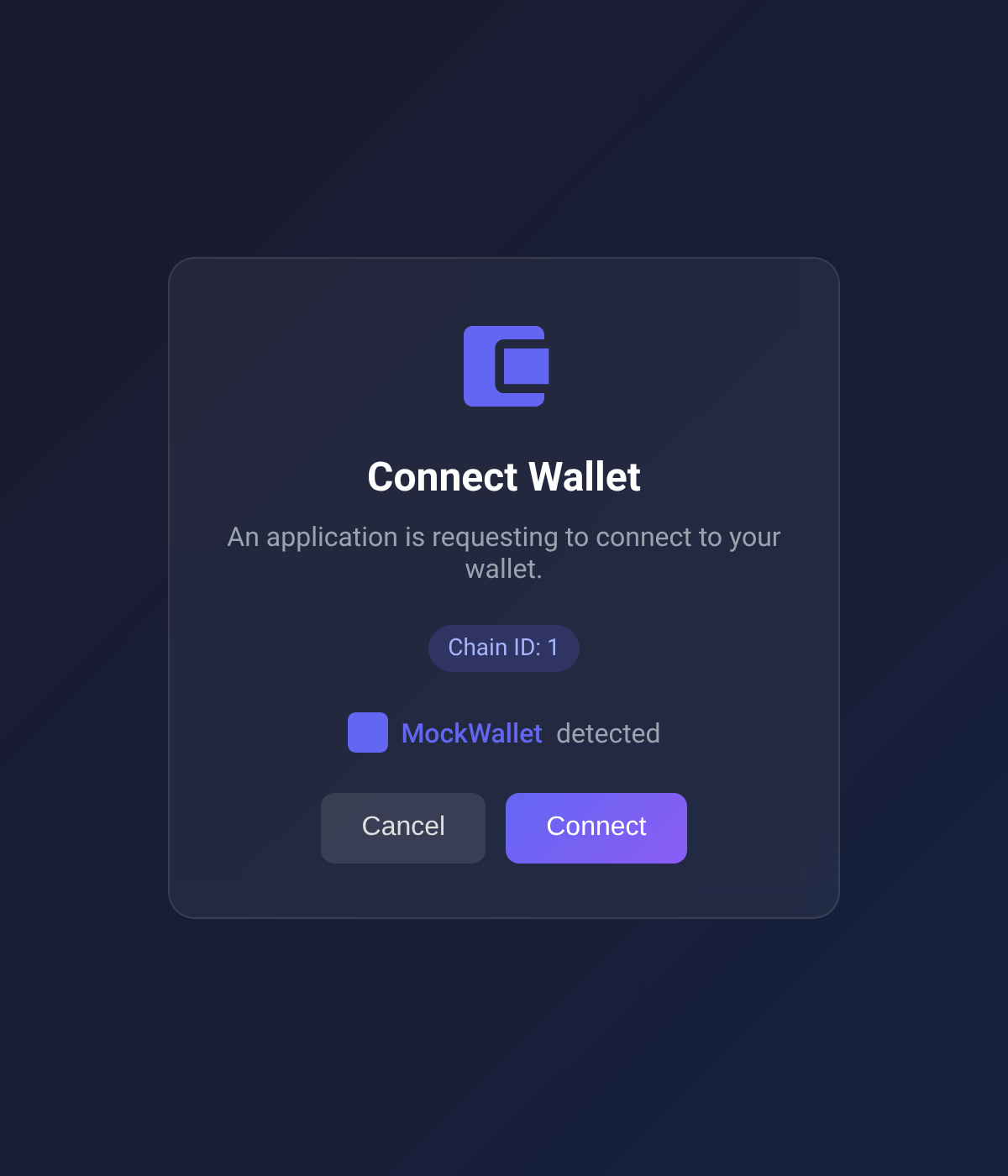 | 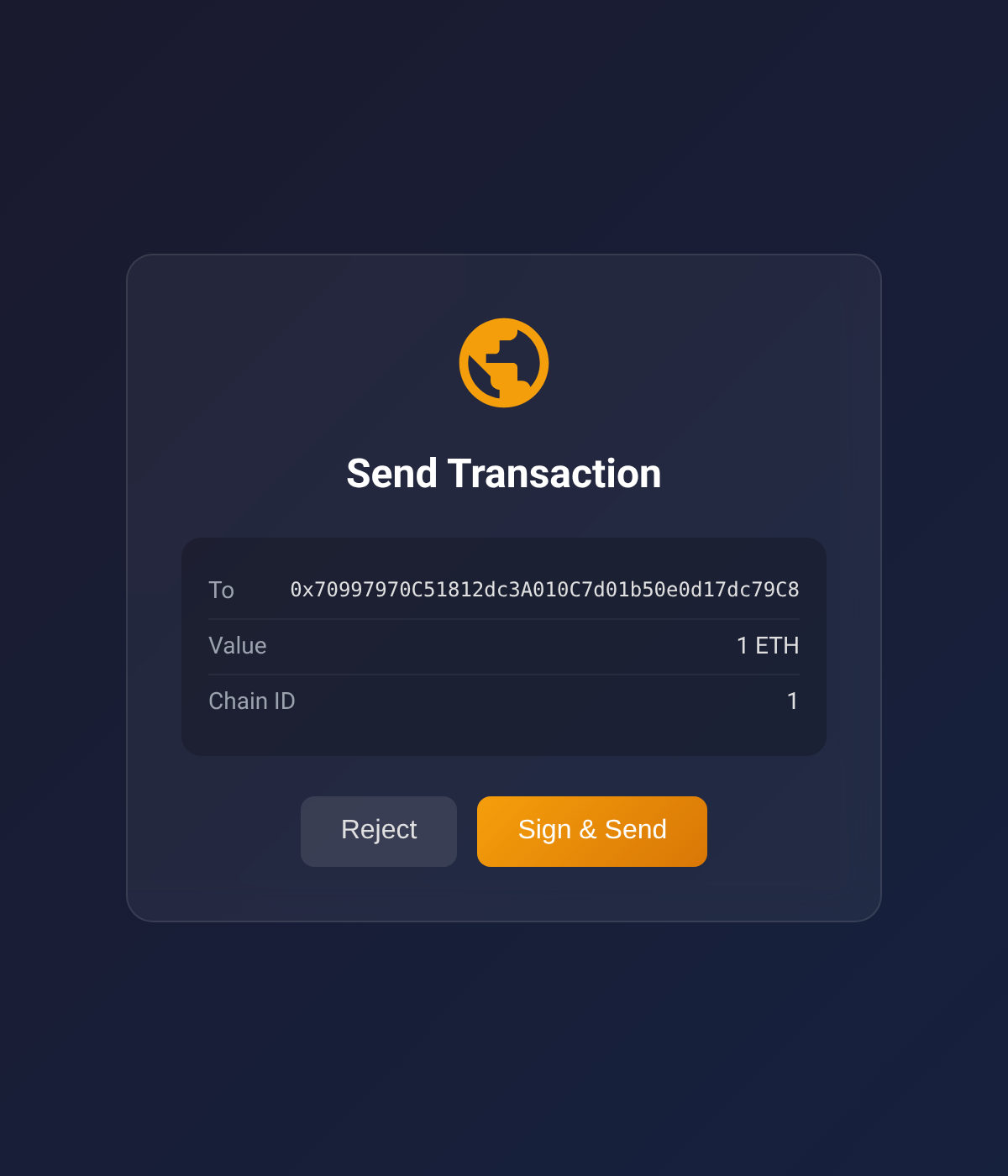 | 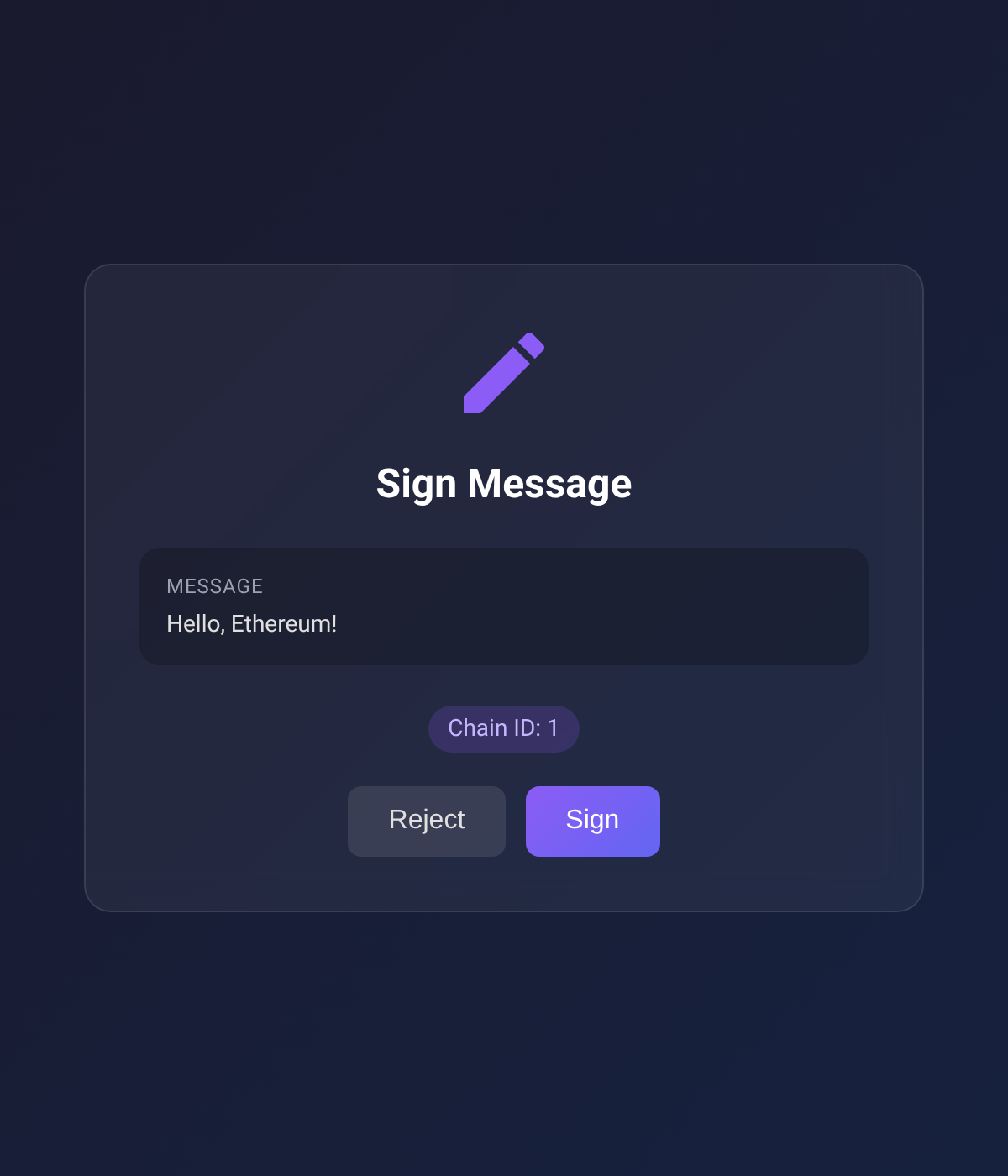 |
Supported Chains
Built-in RPC URLs for:
- Ethereum (1)
- Sepolia (11155111)
- Polygon (137)
- Arbitrum One (42161)
- Optimism (10)
- Base (8453)
- Avalanche (43114)
- BNB Smart Chain (56)
Supported TRON Networks
- Tron Mainnet
- Shasta Testnet
- Nile Testnet
Configuration
Environment variables (optional):
| Variable | Description | Default |
|---|---|---|
EVM_MCP_PORT | EVM HTTP server port | 3847 |
EVM_MCP_DEFAULT_CHAIN | Default EVM chain ID | 1 |
TRON_MCP_PORT | TRON HTTP server port | 3848 |
TRON_MCP_DEFAULT_NETWORK | Default TRON network (mainnet/shasta/nile) | mainnet |
Packages
This is a monorepo with three published packages plus one internal one:
| Package | Published | Description |
|---|---|---|
wallet-signer-core | internal | Chain-agnostic primitives (PendingStore, HTTP bridge, errors). Bundled into each chain package at build time — never installed directly. |
browser-evm-signer | npm + JSR | Standalone library — sign EVM transactions via MetaMask/Rabby/any EIP-6963 wallet |
browser-tron-signer | npm + JSR | Standalone library — sign TRON transactions via TronLink |
mcp-wallet-signer | npm | MCP server — exposes the EVM and TRON signers as MCP tools for AI agents |
Use the chain-specific packages directly if you want browser-based signing in your own Node.js/Deno app without MCP.
Development
Requires Deno v2.0+.
# Install all dependencies
deno task install:all

# Type check + lint + format check (all packages)
deno task check:all

# Run tests
deno task test:all

# Build all npm packages
deno task build:all

# Format code
deno task fmt
Manual signing CLI
A signer-cli script triggers the same flows that the MCP tools do, but from your shell —
useful for smoke-testing against a real wallet without going through an MCP client.
# Discover subcommands
deno task cli                                 # top-level help
deno task cli evm help                        # EVM subcommands
deno task cli tron help                       # TRON subcommands
deno task cli evm send-transaction --help     # subcommand flags

# Examples (each opens a browser; sign in MetaMask / TronLink)
deno task cli evm  connect --chain 1
deno task cli evm  send-transaction --to 0x... --value 1000000000000000000
deno task cli evm  sign-message --message "hello"
deno task cli tron connect --network mainnet
deno task cli tron send-trx --to T... --amount 1000000
deno task cli tron trigger-contract --contract T... \
    --selector 'transfer(address,uint256)' \
    --params '[{"type":"address","value":"T..."},{"type":"uint256","value":"1000000"}]'
deno task cli tron get-balance --address T...   # no browser
The approval URL is always printed up-front, and every browser-interacting subcommand (both chains, every flow except get-balance which doesn't open a browser) accepts --browser <name> and --print:
# Pick a specific browser (the one that has TronLink / MetaMask installed)
deno task cli evm  connect --browser firefox
deno task cli evm  sign-message --message "hi" --browser chrome
deno task cli tron send-trx --to T... --amount 1000000 --browser edge
deno task cli tron trigger-contract --contract T... --selector 'transfer(address,uint256)' \
    --params '[...]' --browser /usr/bin/brave-browser

# Print the URL only — don't auto-open anything. Open it manually wherever you like
deno task cli evm  send-transaction --to 0x... --value 1000 --print
deno task cli evm  sign-typed-data --json typed.json --print
deno task cli tron connect --network shasta --print
deno task cli tron sign-message --message "hello" --print
--browser <name> accepts chrome, firefox, edge, safari, or a binary path. Useful when your system default doesn't have the wallet extension installed.
Per-package deno task trigger ... works too if you're already inside packages/browser-evm-signer/ or packages/browser-tron-signer/.
Project Structure
tools/
└── signer-cli.ts            # Root dispatcher → per-package trigger CLIs

packages/
├── wallet-signer-core/      # Chain-agnostic primitives (npm: wallet-signer-core)
│   ├── src/                  # PendingStore, HTTP bridge, errors, browser opener
│   ├── tests/                # Core unit tests
│   └── scripts/build-npm.ts
│
├── browser-evm-signer/      # EVM signing library (npm: browser-evm-signer)
│   ├── src/                  # EVM types, viem transport, EIP-6963 approval UI
│   ├── tools/trigger.ts      # Manual-trigger CLI
│   ├── tests/                # Unit, e2e (HTTP), and e2e-browser (Playwright) tests
│   └── scripts/build-npm.ts
│
├── browser-tron-signer/     # TRON signing library (npm: browser-tron-signer)
│   ├── src/                  # TRON types, TronLink approval UI, TronGrid balance fetch
│   ├── tools/trigger.ts      # Manual-trigger CLI
│   ├── tests/                # Unit, e2e (HTTP), and e2e-browser (Playwright) tests
│   └── scripts/build-npm.ts
│
└── mcp-wallet-signer/       # MCP server layer (npm: mcp-wallet-signer)
    ├── src/                  # MCP tool definitions + CLI entry
    └── scripts/build-npm.ts
A Deno workspace declaration at the root makes each member's import map visible to root-level scripts (notably tools/signer-cli.ts resolving wallet-signer-core).
All packages are built with dnt and use node: builtins (no Deno-specific APIs) so the npm bundles run under Node.js.
License
MIT
Reviews
No reviews yet
Be the first to review this server!
More Finance MCP Servers
Toleno
Freeby Toleno · Developer Tools
Toleno Network MCP Server — Manage your Toleno mining account with Claude AI using natural language.
mcp-creator-python
Freeby mcp-marketplace · Developer Tools
Create, build, and publish Python MCP servers to PyPI — conversationally.
MCP Marketplace
Freeby mcp-marketplace · Developer Tools
Search and install MCP servers from inside your AI client.
MarkItDown
Freeby Microsoft · Content & Media
Convert files (PDF, Word, Excel, images, audio) to Markdown for LLM consumption
FinAgent
Freeby mcp-marketplace · Finance
Free stock data and market news for any MCP-compatible AI assistant.
Google Workspace MCP
Freeby Taylorwilsdon · Productivity
Control Gmail, Calendar, Docs, Sheets, Drive, and more from your AI