
Server data from the Official MCP Registry
Analyze HOI4 events, tech trees, AI weights, and MTTH; build focus trees, GUIs, and maps.
About
Analyze HOI4 events, tech trees, AI weights, and MTTH; build focus trees, GUIs, and maps.
Security Report
Valid MCP server (2 strong, 1 medium validity signals). No known CVEs in dependencies. Package registry verified. Imported from the Official MCP Registry. Trust signals: trusted author (4/4 approved).
5 files analyzed · 1 issue found
Security scores are indicators to help you make informed decisions, not guarantees. Always review permissions before connecting any MCP server.
Permissions Required
This plugin requests these system permissions. Most are normal for its category.
How to Install
Add this to your MCP configuration file:
{
  "mcpServers": {
    "io-github-klimpaskov-hoi4-agent-tools": {
      "args": [
        "-y",
        "hoi4-agent-tools"
      ],
      "command": "npx"
    }
  }
}Documentation
View on GitHubFrom the project's GitHub README.
HOI4 Agent Tools
HOI4 Agent Tools is an MCP server for coding agents to understand Hearts of Iron IV event chains, technology systems, AI weights, and MTTH timing and to inspect, create, or clean up focus trees, scripted GUIs, and maps. It produces source-linked structural and visual evidence that agents can use inside a larger modding workflow.
What it does
- Focus trees: inspect structure and references, render layouts, create trees, and reorganize existing branches.
- Scripted GUIs: trace GUI, GFX, scripted-GUI, and localisation links; render value-driven variants, dynamic country flags, inline text icons, states, resolutions, hierarchy, and click regions; diagnose alignment, visibility, clipping, panel containment, and button-label centering; create or repair interface source.
- Maps: navigate the complete rendered map by ID or localised name; inspect provinces, states, regions, adjacency, supply, railways, and positions; create states and provinces; change IDs; and repair connected map data.
- Event chains: scan definitions and call sites, trace routes and state flow, lint references, render graphs, and compare revisions without editing event source.
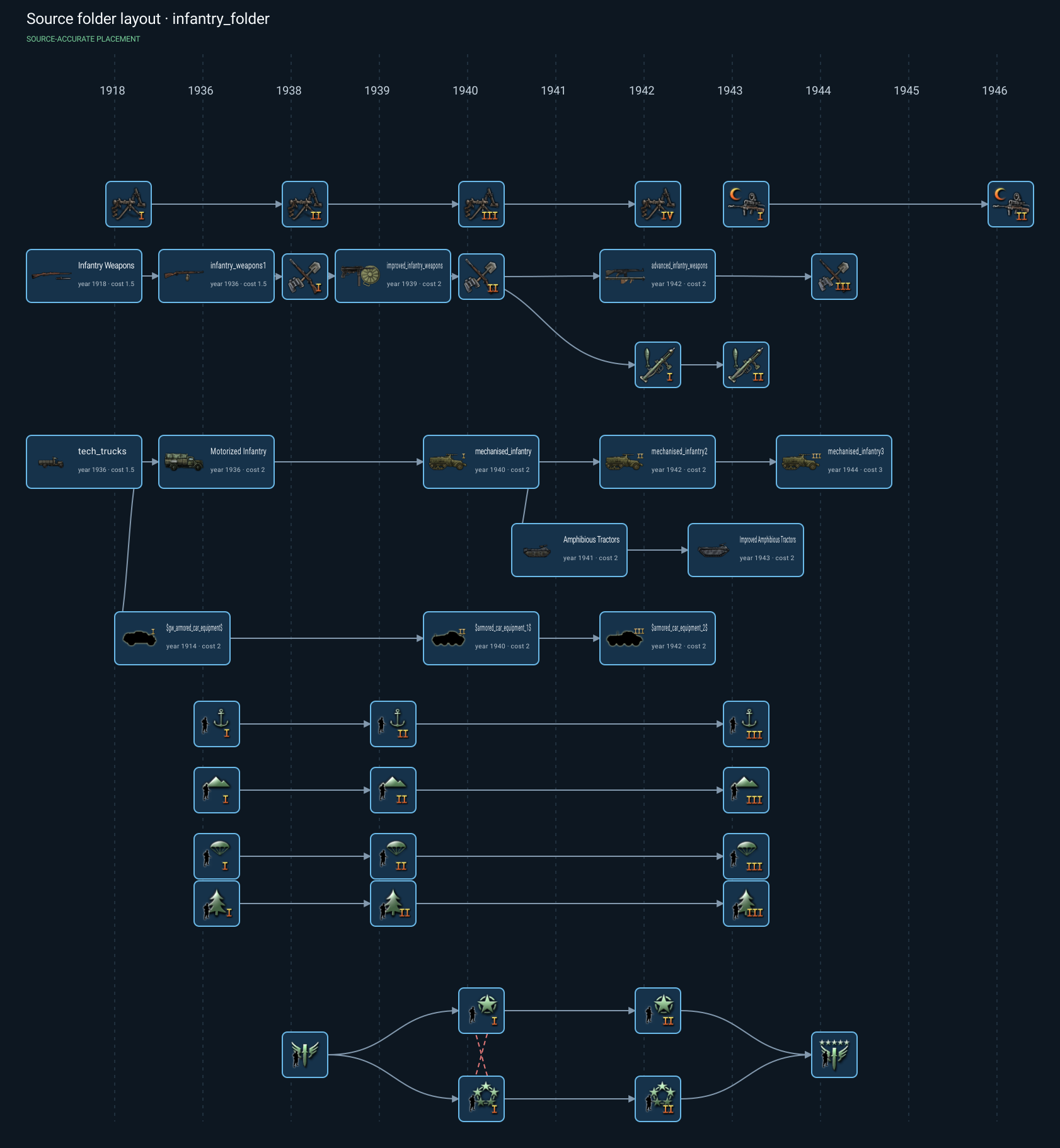
- Technology trees: reconstruct technology and doctrine paths, folder layouts, unlocks, bonuses, grants, metadata, assets, and structural changes.
- AI and MTTH: evaluate weighted choices and timing across explicit scenarios, bind special scope chains, enumerate dynamic target pools, sweep uncertain inputs, simulate distributions, compare patches, and analyze declared stateful pools.
Real results
The GUI renderer resolves the mod and installed-game sources, fonts, localisation colours, sprites, scripted visibility, dynamic values, lists, controls, and panel composition. These pairs show the in-game surface beside the MCP result.
| Communist Insurgency in game | Communist Insurgency from MCP |
|---|---|
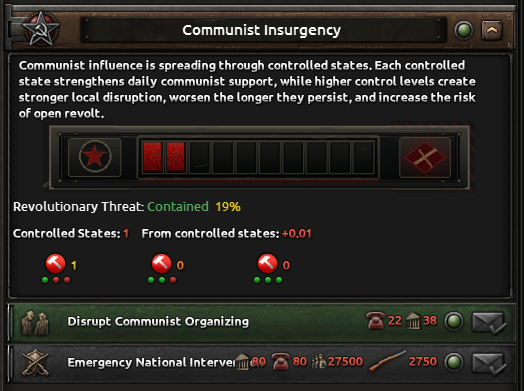 | 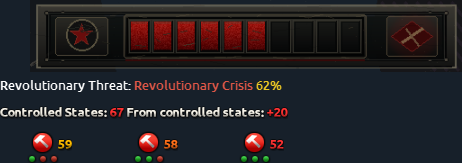 |
| Chaos Meter in game | Chaos Meter from MCP |
|---|---|
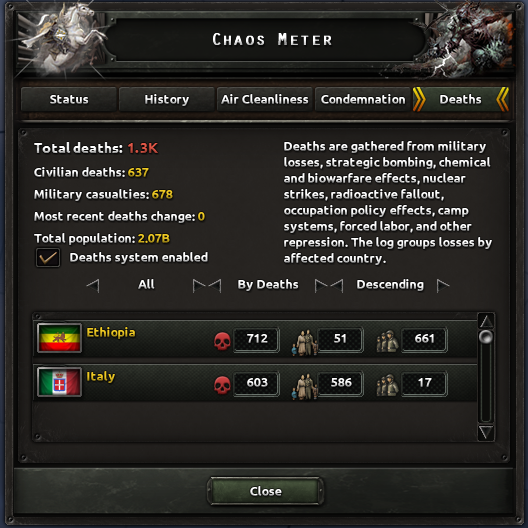 | 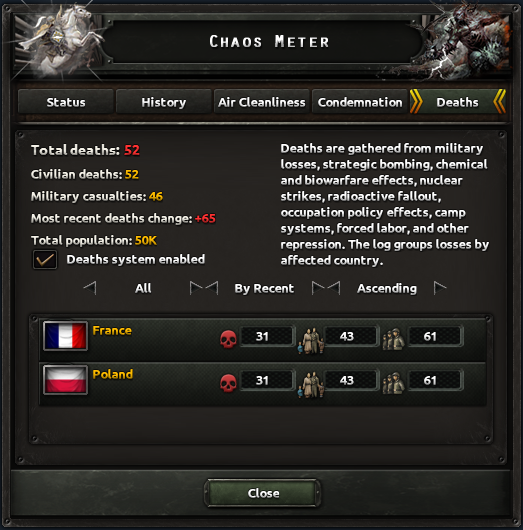 |
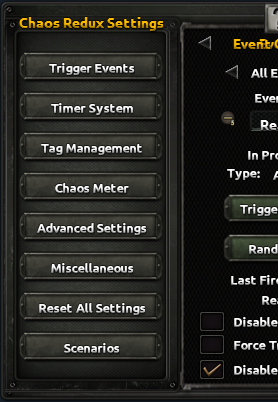
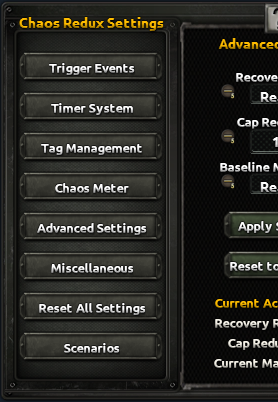
The same scenario-aware renderer can select mutually exclusive settings panes and populate plausible runtime values.
| Trigger Events settings | Advanced settings |
|---|---|
 |  |
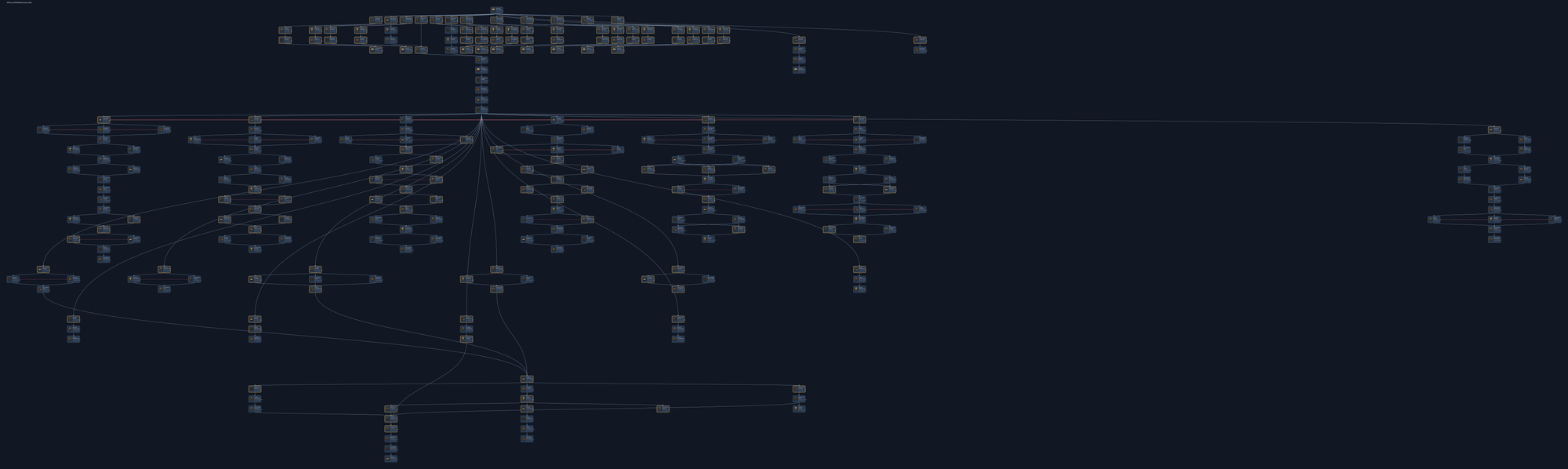
The other workbenches return complete source-linked layouts and catalogs rather than prose-only summaries.
| Focus tree | Technology tree |
|---|---|
 |  |
| Map | Event chain | Probability ranking |
|---|---|---|
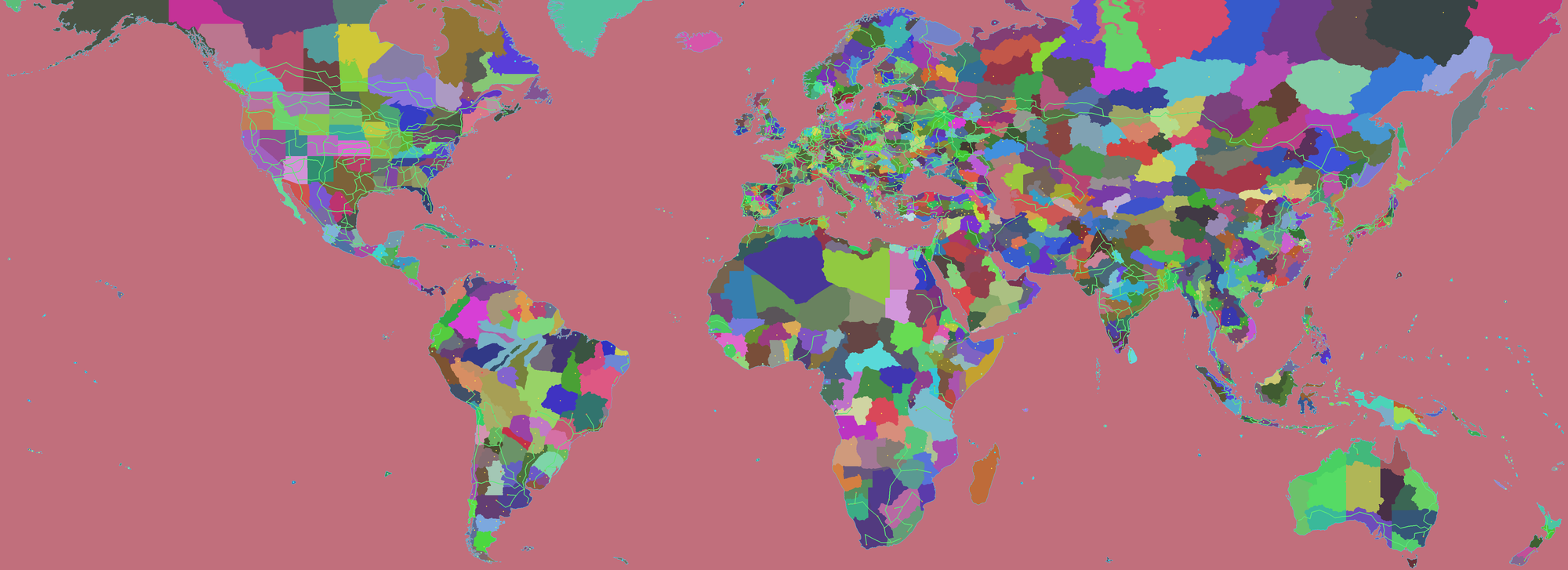 | 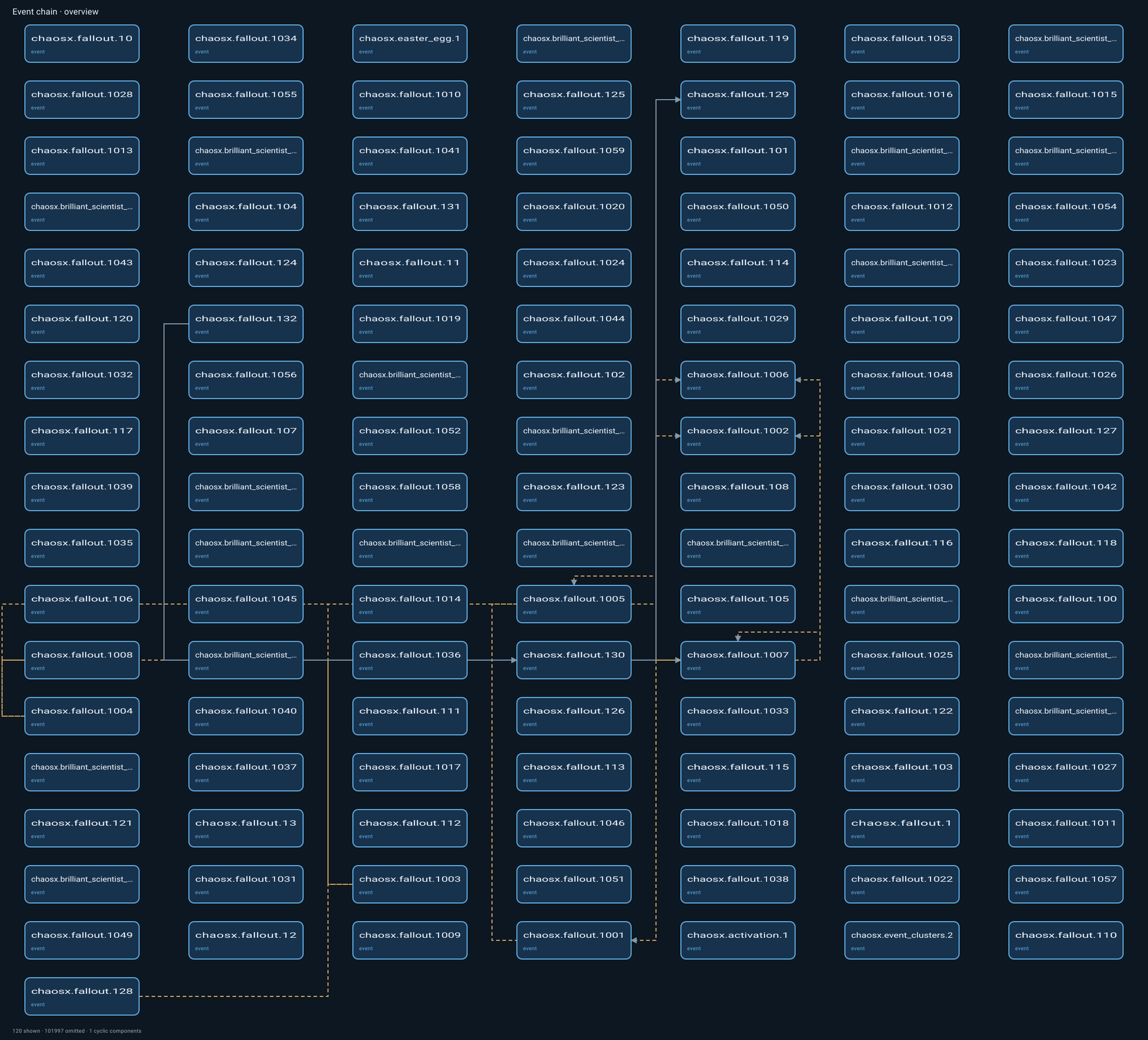 |  |
Use from a coding agent
Requires Node.js 22.19 or later in the Node 22 line, or Node.js 24.
npm install --global hoi4-agent-tools@latest
[mcp_servers.hoi4_agent_tools]
command = "hoi4-agent-tools.cmd"
On non-Windows systems, use hoi4-agent-tools as the command. Agentic HOI4 repositories can include these steps in their agent template so the coding agent installs and registers the server itself; manual installation is not required in that workflow. Once connected, the server follows the active mod supplied by the client and the agent can call its HOI4 tools directly.
Tools
| Tool | Purpose |
|---|---|
hoi4.focus_inspect | Read focus trees, continuous-focus placement, and structural or reference problems. |
hoi4.focus_render | Produce fast HTML, SVG, JSON, and source-linked layout artifacts. |
hoi4.focus_raster | Produce a high-fidelity PNG review with decoded source icons. |
hoi4.focus_rewrite | Create or update a focus tree. |
hoi4.gui_inspect | Read a scripted GUI and its linked assets and logic. |
hoi4.gui_render | Render generated and explicit GUI scenarios, states, resolutions, and layout diagnostics. |
hoi4.gui_rewrite | Create or update a GUI source package. |
hoi4.map_inspect | Search, click, navigate, and inspect the complete rendered map and its linked data. |
hoi4.map_render | Render full-map layers, overlays, names, IDs, coordinates, and source-linked catalogs. |
hoi4.map_rewrite | Create or update states, provinces, IDs, networks, positions, and connected map data. |
hoi4.event_inspect | Scan, trace, explain, lint, or assess event chains and their state flow. |
hoi4.event_render | Render source-linked event routes, options, timing, state, scope, and unresolved edges. |
hoi4.event_compare | Compare event-chain topology and diagnostics between revisions. |
hoi4.tech_inspect | Scan, trace, explain, lint, and assess technology and doctrine systems. |
hoi4.tech_render | Render source layouts with real item sizes and year guides, plus dependencies and assets. |
hoi4.tech_compare | Compare technology graphs, placements, references, diagnostics, and source overlays. |
hoi4.probability_inspect | Locate weighted logic and discover compatible adapters, candidates, and required inputs. |
hoi4.probability_evaluate | Evaluate exact values, probabilities, timing, bounds, and unresolved inputs. |
hoi4.probability_sweep | Find sensitivity, breakpoints, cliffs, and rank reversals across declared ranges. |
hoi4.probability_simulate | Run deterministic sampled analysis with confidence and convergence data. |
hoi4.probability_sequence | Analyze declared recovery, caps, cooldowns, resets, timers, and terminal states. |
hoi4.probability_compare | Attribute AI-weight and MTTH changes between real or proposed source. |
hoi4.probability_render | Render cached rankings, matrices, timing, sensitivity, sequence, and comparisons. |
Set HOI4_AGENT_TOOLS_CHAOSX=1 on the server process to expose the optional chaosx.focus_country_assets and chaosx.visual_revision tools used by ChaosX workflows. They remain absent from the default public tool list.
Large outputs are linked hoi4-agent:// resources. For resources over 1 MiB, follow the continuationUri returned in _meta until it is null; clients may also request byte ranges with ?offset=<bytes>&length=<bytes>.
Coexistence with agent workflows
HOI4 Agent Tools provides HOI4 domain operations without replacing repository instructions such as AGENTS.md, skills, plans, or subagents. Its optional weighted-logic prompt helps an agent scope one probability analysis and then returns control to the normal workflow.
Connecting and listing tools does not scan mod source. Compact tool schemas and linked resources keep large diagnostics, renders, and diffs out of the agent's working context until needed. Event, technology, and probability tools analyze source without editing it; only hoi4.*_rewrite calls edit mod source.
Create or clean content
Ask your agent in normal task language. A typical workflow is inspect, render, rewrite, then inspect the result. The agent can call a raster tool when a pixel review is useful without paying that cost during every structural operation.
- Focus trees: "Create a complete national focus tree for this route specification," or "Compact this existing tree into a balanced, readable layout." Existing trees can use a plan-free compact reflow; new trees use a complete plan. See Focus trees.
- Scripted GUIs: "Create a scripted GUI for this mechanic," or "Render every value-driven version of this window and fix hidden controls, off-center button text, background alignment, clipping, and click-region conflicts." See Scripted GUIs.
- Maps: "Render the whole map and find this state by name," "Create a state from these provinces," "Create a province inside this exact rectangle," or "Swap these state IDs and update connected references." See Maps.
- Event chains: "Trace every route from this event and explain where its flags and variables change," or "Compare the workspace event graph with its previous revision and render the affected routes." See Event chains.
- Technology trees: "Explain everything this technology requires and unlocks," or "Compare this technology patch and render every affected folder and doctrine branch." See Technology trees.
- AI and MTTH: "Compare these focus weights across peace, defensive-war, and low-stability scenarios," or "Show when this MTTH event becomes likely and which unknown inputs control the result." See AI and MTTH analysis.
HTTP
Use stdio for local MCP clients. For shared or remote deployments, see HTTP.
Development
npm ci
npm run check
See Development. Apache-2.0 licensed. Hearts of Iron IV and Paradox Interactive are trademarks of their respective owners; this project is unaffiliated.
Reviews
No reviews yet
Be the first to review this server!
More Developer Tools MCP Servers
Fetch
Freeby Modelcontextprotocol · Developer Tools
Web content fetching and conversion for efficient LLM usage
Git
Freeby Modelcontextprotocol · Developer Tools
Read, search, and manipulate Git repositories programmatically
Toleno
Freeby Toleno · Developer Tools
Toleno Network MCP Server — Manage your Toleno mining account with Claude AI using natural language.
mcp-creator-python
Freeby mcp-marketplace · Developer Tools
Create, build, and publish Python MCP servers to PyPI — conversationally.
MCP Marketplace
Freeby mcp-marketplace · Developer Tools
Search and install MCP servers from inside your AI client.
MarkItDown
Freeby Microsoft · Content & Media
Convert files (PDF, Word, Excel, images, audio) to Markdown for LLM consumption