
Server data from the Official MCP Registry
Handles 10M+ token contexts with chunking, sub-queries, and local Ollama inference.
About
Handles 10M+ token contexts with chunking, sub-queries, and local Ollama inference.
Security Report
Valid MCP server (1 strong, 2 medium validity signals). 1 code issue detected. 5 known CVEs in dependencies (1 critical, 3 high severity) Package registry verified. Imported from the Official MCP Registry. Trust signals: trusted author (4/5 approved).
3 files analyzed · 7 issues found
Security scores are indicators to help you make informed decisions, not guarantees. Always review permissions before connecting any MCP server.
Permissions Required
This plugin requests these system permissions. Most are normal for its category.
What You'll Need
Set these up before or after installing:
Environment variable: RLM_DATA_DIR
Environment variable: OLLAMA_URL
How to Install
Add this to your MCP configuration file:
{
  "mcpServers": {
    "io-github-egoughnour-massive-context-mcp": {
      "env": {
        "OLLAMA_URL": "your-ollama-url-here",
        "RLM_DATA_DIR": "your-rlm-data-dir-here"
      },
      "args": [
        "massive-context-mcp"
      ],
      "command": "uvx"
    }
  }
}Documentation
View on GitHubFrom the project's GitHub README.
Massive Context MCP









Handle massive contexts (10M+ tokens) with chunking, sub-queries, and free local inference via Ollama.
flowchart TD
    A[Claude Code] --> B[RLM MCP Server]
    B --> C{rlm_ollama_status}
    C -->|cached 60s| D{provider = auto}

    D -->|Ollama running| E[🦙 Ollama<br/>gemma3:12b]
    D -->|Ollama unavailable| F[☁️ Claude SDK<br/>claude-haiku-4-5]

    E --> G[["💰 $0<br/>Free local inference"]]
    F --> H[["💰 ~$0.80/1M<br/>Cloud inference"]]

    style A fill:#ff922b,color:#fff
    style B fill:#339af0,color:#fff
    style E fill:#51cf66,color:#fff
    style F fill:#748ffc,color:#fff
    style G fill:#51cf66,color:#fff
    style H fill:#748ffc,color:#fff
Based on the Recursive Language Model pattern. Inspired by richardwhiteii/rlm.
Core Idea
Instead of feeding massive contexts directly into the LLM:
- Load context as external variable (stays out of prompt)
- Inspect structure programmatically
- Chunk strategically (lines, chars, or paragraphs)
- Sub-query recursively on chunks
- Aggregate results for final synthesis
Quick Start
Installation
Option 1: PyPI (Recommended)
uvx massive-context-mcp
# or
pip install massive-context-mcp
With Optional Extras:
# With Code Firewall integration (security filter for rlm_exec)
pip install massive-context-mcp[firewall]

# With Claude Agent SDK (for programmatic Claude API access)
pip install massive-context-mcp[claude]

# With all extras
pip install massive-context-mcp[firewall,claude]
Option 2: Claude Desktop One-Click
Download the .mcpb from Releases and double-click to install.
Option 3: From Source
git clone https://github.com/egoughnour/massive-context-mcp.git
cd massive-context-mcp
uv sync
Wire to Claude Code / Claude Desktop
Add to ~/.claude/.mcp.json (Claude Code) or claude_desktop_config.json (Claude Desktop):
{
  "mcpServers": {
    "massive-context": {
      "command": "uvx",
      "args": ["massive-context-mcp"],
      "env": {
        "RLM_DATA_DIR": "~/.rlm-data",
        "OLLAMA_URL": "http://localhost:11434"
      }
    }
  }
}
Tools
Setup & Status Tools
| Tool | Purpose |
|---|---|
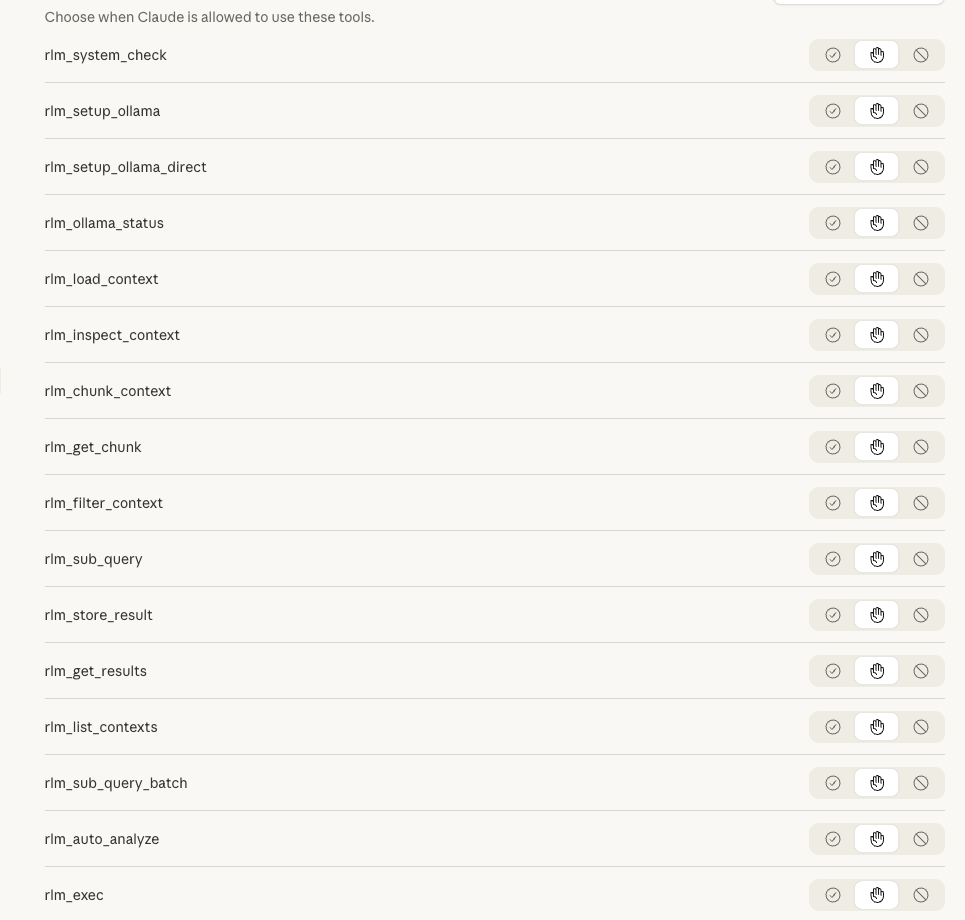
rlm_system_check | Check system requirements — verify macOS, Apple Silicon, 16GB+ RAM, Homebrew |
rlm_setup_ollama | Install via Homebrew — managed service, auto-updates, requires Homebrew |
rlm_setup_ollama_direct | Install via direct download — no sudo, fully headless, works on locked-down machines |
rlm_ollama_status | Check Ollama availability — detect if free local inference is available |
Analysis Tools
| Tool | Purpose |
|---|---|
rlm_auto_analyze | One-step analysis — auto-detects type, chunks, and queries |
rlm_load_context | Load context as external variable |
rlm_inspect_context | Get structure info without loading into prompt |
rlm_chunk_context | Chunk by lines/chars/paragraphs |
rlm_get_chunk | Retrieve specific chunk |
rlm_filter_context | Filter with regex (keep/remove matching lines) |
rlm_exec | Execute Python code against loaded context (sandboxed) |
rlm_sub_query | Make sub-LLM call on chunk |
rlm_sub_query_batch | Process multiple chunks in parallel |
rlm_store_result | Store sub-call result for aggregation |
rlm_get_results | Retrieve stored results |
rlm_list_contexts | List all loaded contexts |
Quick Analysis with rlm_auto_analyze
For most use cases, just use rlm_auto_analyze — it handles everything automatically:
rlm_auto_analyze(
    name="my_file",
    content=file_content,
    goal="find_bugs"  # or: summarize, extract_structure, security_audit, answer:<question>
)
What it does automatically:
- Detects content type (Python, JSON, Markdown, logs, prose, code)
- Selects optimal chunking strategy
- Adapts the query for the content type
- Runs parallel sub-queries
- Returns aggregated results
Supported goals:
| Goal | Description |
|---|---|
summarize | Summarize content purpose and key points |
find_bugs | Identify errors, issues, potential problems |
extract_structure | List functions, classes, schema, headings |
security_audit | Find vulnerabilities and security issues |
answer:<question> | Answer a custom question about the content |
Programmatic Analysis with rlm_exec
For deterministic pattern matching and data extraction, use rlm_exec to run Python code directly against a loaded context. This is closer to the paper's REPL approach and provides full control over analysis logic.
Tool: rlm_exec
Purpose: Execute arbitrary Python code against a loaded context in a sandboxed subprocess.
Parameters:
code(required): Python code to execute. Set theresultvariable to capture output.context_name(required): Name of a previously loaded context.timeout(optional, default 30): Maximum execution time in seconds.
Features:
- Context available as read-only
contextvariable - Pre-imported modules:
re,json,collections - Subprocess isolation (won't crash the server)
- Timeout enforcement
- Works on any system with Python (no Docker needed)
Example — Finding patterns in a loaded context:
# After loading a context
rlm_exec(
    code="""
import re
amounts = re.findall(r'\$[\d,]+', context)
result = {'count': len(amounts), 'sample': amounts[:5]}
""",
    context_name="bill"
)
Example Response:
{
  "result": {
    "count": 1247,
    "sample": ["$500", "$1,000", "$250,000", "$100,000", "$50"]
  },
  "stdout": "",
  "stderr": "",
  "return_code": 0,
  "timed_out": false
}
Example — Extracting structured data:
rlm_exec(
    code="""
import re
import json

# Find all email addresses
emails = re.findall(r'\b[A-Za-z0-9._%+-]+@[A-Za-z0-9.-]+\.[A-Z|a-z]{2,}\b', context)

# Count by domain
from collections import Counter
domains = [e.split('@')[1] for e in emails]
domain_counts = Counter(domains)

result = {
    'total_emails': len(emails),
    'unique_domains': len(domain_counts),
    'top_domains': domain_counts.most_common(5)
}
""",
    context_name="dataset",
    timeout=60
)
When to use rlm_exec vs rlm_sub_query:
| Use Case | Tool | Why |
|---|---|---|
| Extract all dates, IDs, amounts | rlm_exec | Regex is deterministic and fast |
| Find security vulnerabilities | rlm_sub_query | Requires reasoning and context |
| Parse JSON/XML structure | rlm_exec | Standard libraries work perfectly |
| Summarize themes or tone | rlm_sub_query | Natural language understanding needed |
| Count word frequencies | rlm_exec | Simple computation, no AI needed |
| Answer "Why did X happen?" | rlm_sub_query | Requires inference and reasoning |
Tip: For large contexts, combine both — use rlm_exec to filter/extract, then rlm_sub_query for semantic analysis of filtered results.
Code Firewall Integration (Optional)
For enhanced security, integrate code-firewall-mcp to filter dangerous code patterns before execution:
pip install massive-context-mcp[firewall]
When installed, rlm_exec can automatically check code against a blacklist of known dangerous patterns (e.g., os.system(), eval(), subprocess with shell=True). The firewall uses structural similarity matching — normalizing code to its skeleton and comparing against blacklisted patterns via embeddings.
How it works:
- Code is parsed to a syntax tree and normalized (identifiers →
_, strings →"S") - Normalized structure is embedded via Ollama
- Similarity is checked against blacklisted patterns in ChromaDB
- Code is blocked if similarity exceeds threshold (default: 0.85)
Configuration (environment variables):
RLM_FIREWALL_ENABLED=true— Enable firewall checks (auto-enabled when package installed)RLM_FIREWALL_MODE=warn|block— Warn or block on matches (default:warn)
Example blocked patterns:
os.system(user_input)— Command injectioneval(untrusted_data)— Code injectionsubprocess.Popen(..., shell=True)— Shell injection
Use rlm_firewall_status to check firewall availability and configuration.
Providers & Auto-Detection
RLM automatically detects and uses the best available provider:
| Provider | Default Model | Cost | Use Case |
|---|---|---|---|
auto | (best available) | $0 or ~$0.80/1M | Default — prefers Ollama if available |
ollama | gemma3:12b | $0 | Local inference, requires Ollama |
claude-sdk | claude-haiku-4-5 | ~$0.80/1M input | Cloud inference, always available |
How Auto-Detection Works
When you use provider="auto" (the default), RLM:
- Checks if Ollama is running at
OLLAMA_URL(default:http://localhost:11434) - Checks if gemma3:12b is available (or any gemma3 variant)
- Uses Ollama if available, otherwise falls back to Claude SDK
The status is cached for 60 seconds to avoid repeated network checks.
Check Ollama Status
Use rlm_ollama_status to see what's available:
rlm_ollama_status()
Response when Ollama is ready:
{
  "running": true,
  "models": ["gemma3:12b", "llama3:8b"],
  "default_model_available": true,
  "best_provider": "ollama",
  "recommendation": "Ollama is ready! Sub-queries will use free local inference by default."
}
Response when Ollama is not available:
{
  "running": false,
  "error": "connection_refused",
  "best_provider": "claude-sdk",
  "recommendation": "Ollama not available. Sub-queries will use Claude API. To enable free local inference, install Ollama and run: ollama serve"
}
Transparent Provider Selection
All sub-query responses include which provider was actually used:
{
  "provider": "ollama",
  "model": "gemma3:12b",
  "requested_provider": "auto",
  "response": "..."
}
Autonomous Usage
Enable Claude to use RLM tools automatically without manual invocation:
1. CLAUDE.md Integration
Copy CLAUDE.md.example content to your project's CLAUDE.md (or ~/.claude/CLAUDE.md for global) to teach Claude when to reach for RLM tools automatically.
2. Hook Installation
Copy the .claude/hooks/ directory to your project to auto-suggest RLM when reading files >10KB:
cp -r .claude/hooks/ /Users/your_username/your-project/.claude/hooks/
The hook provides guidance but doesn't block reads.
3. Skill Reference
Copy the .claude/skills/ directory for comprehensive RLM guidance:
cp -r .claude/skills/ /Users/your_username/your-project/.claude/skills/
With these in place, Claude will autonomously detect when to use RLM instead of reading large files directly into context.
Setting Up Ollama (Free Local Inference)
RLM can automatically install and configure Ollama on macOS with Apple Silicon. There are two installation methods with different trade-offs:
Choosing an Installation Method
| Aspect | rlm_setup_ollama (Homebrew) | rlm_setup_ollama_direct (Direct Download) |
|---|---|---|
| Sudo required | Only if Homebrew not installed | ❌ Never |
| Homebrew required | ✅ Yes | ❌ No |
| Auto-updates | ✅ Yes (brew upgrade) | ❌ Manual |
| Service management | ✅ brew services (launchd) | ⚠️ ollama serve (foreground) |
| Install location | /opt/homebrew/ | ~/Applications/ |
| Locked-down machines | ⚠️ May fail | ✅ Works |
| Fully headless | ⚠️ May prompt for sudo | ✅ Yes |
Recommendation:
- Use Homebrew method if you have Homebrew and want managed updates
- Use Direct Download for automation, locked-down machines, or when you don't have admin access
Method 1: Homebrew Installation (Recommended if you have Homebrew)
# 1. Check if your system meets requirements
rlm_system_check()

# 2. Install via Homebrew
rlm_setup_ollama(install=True, start_service=True, pull_model=True)
What this does:
- Installs Ollama via Homebrew (
brew install ollama) - Starts Ollama as a managed background service (
brew services start ollama) - Pulls gemma3:12b model (~8GB download)
Requirements:
- macOS with Apple Silicon (M1/M2/M3/M4)
- 16GB+ RAM (gemma3:12b needs ~8GB to run)
- Homebrew installed
Method 2: Direct Download (Fully Headless, No Sudo)
# 1. Check system (Homebrew NOT required for this method)
rlm_system_check()

# 2. Install via direct download - no sudo, no Homebrew
rlm_setup_ollama_direct(install=True, start_service=True, pull_model=True)
What this does:
- Downloads Ollama from https://ollama.com/download/Ollama-darwin.zip
- Extracts to
~/Applications/Ollama.app(user directory, no admin needed) - Starts Ollama via
ollama serve(background process) - Pulls gemma3:12b model
Requirements:
- macOS with Apple Silicon (M1/M2/M3/M4)
- 16GB+ RAM
- No special permissions needed!
Note on PATH: After direct installation, the CLI is at:
~/Applications/Ollama.app/Contents/Resources/ollama
Add to your shell config if needed:
export PATH="$HOME/Applications/Ollama.app/Contents/Resources:$PATH"
For Systems with Less RAM
Use a smaller model on either installation method:
rlm_setup_ollama(install=True, start_service=True, pull_model=True, model="gemma3:4b")
# or
rlm_setup_ollama_direct(install=True, start_service=True, pull_model=True, model="gemma3:4b")
Manual Setup
If you prefer manual installation or are on a different platform:
-
Install Ollama from https://ollama.ai or via Homebrew:
brew install ollama -
Start the service:
brew services start ollama # or: ollama serve -
Pull the model:
ollama pull gemma3:12b -
Verify it's working:
rlm_ollama_status()
Provider Selection
RLM automatically uses Ollama when available. You can also force a specific provider:
# Auto-detection (default) - uses Ollama if available
rlm_sub_query(query="Summarize", context_name="doc")

# Explicitly use Ollama
rlm_sub_query(query="Summarize", context_name="doc", provider="ollama")

# Explicitly use Claude SDK
rlm_sub_query(query="Summarize", context_name="doc", provider="claude-sdk")
Usage Example
Basic Pattern
# 0. (Optional) First-time setup on macOS - choose ONE method:

# Option A: Homebrew (if you have it)
rlm_system_check()
rlm_setup_ollama(install=True, start_service=True, pull_model=True)

# Option B: Direct download (no sudo, fully headless)
rlm_system_check()
rlm_setup_ollama_direct(install=True, start_service=True, pull_model=True)

# 0b. (Optional) Check if Ollama is available for free inference
rlm_ollama_status()

# 1. Load a large document
rlm_load_context(name="report", content=<large document>)

# 2. Inspect structure
rlm_inspect_context(name="report", preview_chars=500)

# 3. Chunk into manageable pieces
rlm_chunk_context(name="report", strategy="paragraphs", size=1)

# 4. Sub-query chunks in parallel (auto-uses Ollama if available)
rlm_sub_query_batch(
    query="What is the main topic? Reply in one sentence.",
    context_name="report",
    chunk_indices=[0, 1, 2, 3],
    concurrency=4
)

# 5. Store results for aggregation
rlm_store_result(name="topics", result=<response>)

# 6. Retrieve all results
rlm_get_results(name="topics")
Processing a 2MB Document
Tested with H.R.1 Bill (2MB):
# Load
rlm_load_context(name="bill", content=<2MB XML>)

# Chunk into 40 pieces (50K chars each)
rlm_chunk_context(name="bill", strategy="chars", size=50000)

# Sample 8 chunks (20%) with parallel queries
# (auto-uses Ollama if running, otherwise Claude SDK)
rlm_sub_query_batch(
    query="What topics does this section cover?",
    context_name="bill",
    chunk_indices=[0, 5, 10, 15, 20, 25, 30, 35],
    concurrency=4
)
Result: Comprehensive topic extraction at $0 cost (with Ollama) or ~$0.02 (with Claude).
Analyzing War and Peace (3.3MB)
Literary analysis of Tolstoy's epic novel from Project Gutenberg:
# Download the text
curl -o war_and_peace.txt https://www.gutenberg.org/files/2600/2600-0.txt
# Load into RLM (3.3MB, 66K lines)
rlm_load_context(name="war_and_peace", content=open("war_and_peace.txt").read())

# Chunk by lines (1000 lines per chunk = 67 chunks)
rlm_chunk_context(name="war_and_peace", strategy="lines", size=1000)

# Sample 10 chunks evenly across the book (15% coverage)
sample_indices = [0, 7, 14, 21, 28, 35, 42, 49, 56, 63]

# Extract characters from each sampled section
rlm_sub_query_batch(
    query="List major characters in this section with brief descriptions.",
    context_name="war_and_peace",
    chunk_indices=sample_indices,
    provider="claude-sdk",  # Haiku 4.5
    concurrency=8
)
Result: Complete character arc across the novel — Pierre's journey from idealist to prisoner to husband, Natásha's growth, Nikolái Rostóv's journey from soldier to landowner — all for ~$0.03.
| Metric | Value |
|---|---|
| File size | 3.35 MB |
| Lines | 66,033 |
| Chunks | 67 |
| Sampled | 10 (15%) |
| Cost | ~$0.03 |
Data Storage
graph TD
    A[("$RLM_DATA_DIR")] --> B["📁 contexts/"]
    A --> C["📁 chunks/"]
    A --> D["📁 results/"]

    B --> B1[".txt files"]
    B --> B2[".meta.json"]
    C --> C1["by context name"]
    D --> D1[".jsonl files"]

    style A fill:#339af0,color:#fff
    style B fill:#51cf66,color:#fff
    style C fill:#51cf66,color:#fff
    style D fill:#51cf66,color:#fff
Contexts persist across sessions. Chunked contexts are cached for reuse.
Learning Prompts
Use these prompts with Claude Code to explore the codebase and learn RLM patterns. The code is the single source of truth.
Understanding the Tools
Read src/rlm_mcp_server.py and list all RLM tools with their parameters and purpose.
Explain the chunking strategies available in rlm_chunk_context.
When would I use each one?
What's the difference between rlm_sub_query and rlm_sub_query_batch?
Show me the implementation.
Understanding the Architecture
Read src/rlm_mcp_server.py and explain how contexts are stored and persisted.
Where does the data live?
How does the claude-sdk provider extract text from responses?
Walk me through _call_claude_sdk.
What happens when I call rlm_load_context? Trace the full flow.
Hands-On Learning
Load the README as a context, chunk it by paragraphs,
and run a sub-query on the first chunk to summarize it.
Show me how to process a large file in parallel using rlm_sub_query_batch.
Use a real example.
I have a 1MB log file. Walk me through the RLM pattern to extract all errors.
Extending RLM
Read the test file and explain what scenarios are covered.
What edge cases should I be aware of?
How would I add a new chunking strategy (e.g., by regex delimiter)?
Show me where to modify the code.
How would I add a new provider (e.g., OpenAI)?
What functions need to change?
License
MIT
Reviews
No reviews yet
Be the first to review this server!
More Developer Tools MCP Servers
Git
Freeby Modelcontextprotocol · Developer Tools
Read, search, and manipulate Git repositories programmatically
Fetch
Freeby Modelcontextprotocol · Developer Tools
Web content fetching and conversion for efficient LLM usage
Toleno
Freeby Toleno · Developer Tools
Toleno Network MCP Server — Manage your Toleno mining account with Claude AI using natural language.
mcp-creator-python
Freeby mcp-marketplace · Developer Tools
Create, build, and publish Python MCP servers to PyPI — conversationally.
MCP Marketplace
Freeby mcp-marketplace · Developer Tools
Search and install MCP servers from inside your AI client.
MarkItDown
Freeby Microsoft · Content & Media
Convert files (PDF, Word, Excel, images, audio) to Markdown for LLM consumption