
Server data from the Official MCP Registry
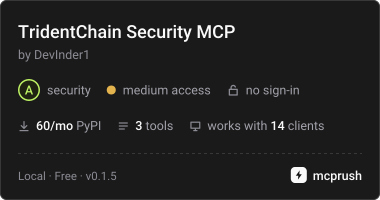
Local supply-chain CVE scanner via OSV/NVD. Scans deps and IDE extensions. No upload.
About
Local supply-chain CVE scanner via OSV/NVD. Scans deps and IDE extensions. No upload.
Security Report
Valid MCP server (2 strong, 3 medium validity signals). 3 known CVEs in dependencies ⚠️ Package registry links to a different repository than scanned source. Imported from the Official MCP Registry. 1 finding(s) downgraded by scanner intelligence.
16 files analyzed · 4 issues found
Security scores are indicators to help you make informed decisions, not guarantees. Always review permissions before connecting any MCP server.
Permissions Required
This plugin requests these system permissions. Most are normal for its category.
How to Install
Add this to your MCP configuration file:
{
  "mcpServers": {
    "io-github-devinder1-tridentchain-security": {
      "args": [
        "tridentchain-mcp"
      ],
      "command": "uvx"
    }
  }
}Documentation
View on GitHubFrom the project's GitHub README.
TridentChain Security








Local-first vulnerability scanner for project dependencies, developer tools, and IDE extensions.
Uses multi-source intelligence (OSV, NVD, GHSA, Sonatype) with KEV/EPSS prioritization.
No API key required for default usage.
Public repo: https://github.com/DevInder1/supply-chain-scanner-public
Install (plug and play)
pip3 install tridentchain-security
npm install -g @tridentchain/security-cli
tridentchain-security --help
Agents & MCP (Claude, Cursor, VS Code, Windsurf, Zed):
Pick whichever install path fits:
# Option A — pip (needs Python 3.10+)
pip3 install -U "tridentchain-security>=0.1.4" "tridentchain-mcp>=0.1.4"

# Option B — uvx (no manual Python install; uv handles it)
uvx tridentchain-mcp

# Option C — Docker (no Python needed, fully sandboxed)
docker pull ghcr.io/devinder1/tridentchain-mcp:latest
# Then in your MCP config, replace `python3 -m tridentchain_mcp` with:
#   command: docker
#   args: ["run", "--rm", "-i", "-v", "$PWD:/workspace", "ghcr.io/devinder1/tridentchain-mcp:latest"]
What you can do: docs/CAPABILITIES.md
Full guide: docs/INSTALL_AND_USE.md
Cross-platform (macOS / Linux / Windows): docs/CROSS_PLATFORM.md
(PyPI: tridentchain-security · npm: @tridentchain/security-cli)
tridentchain-security --scan all --project-path . --output-dir scanner-output
Use in your own Python app
from scanner import run_scan

summary = run_scan(
    project_path=".",
    scan="all",
    run_profile="full",  # no API key required
    output_dir="scanner-output",
)
print(summary["summary"])
Scan profiles
| Profile | Description |
|---|---|
full (default) | Project + system + extensions. OSV + NVD without keys. |
quick | Faster project-focused scan. |
offline | Local advisory DB only, no network. |
| Power-user | Add GITHUB_TOKEN, NVD_API_KEY, optional SONATYPE_TOKEN for best coverage. |
Desktop app (individual application)
No repo clone required if the pip package is installed:
pip3 install tridentchain-security
cd apps/desktop && npm install && npm run start
See apps/desktop/README.md and docs/DISTRIBUTION_VERIFICATION.md.
AI / automation (Claude, OpenAI, Cursor, VS Code, Windsurf, …)
One install, every agent: pip install "tridentchain-security>=0.1.2" tridentchain-mcp
| Guide | Description |
|---|---|
| Agent integrations | Claude · OpenAI · Cursor · VS Code · Windsurf · Zed · MCP · CLI |
| Capabilities | Everything you can do today |
| Architecture | MCP + unified tools design |
./scripts/setup-agent-mcp.sh cursor # prints setup for your agent
Phase 2 — Claude MCP: pip install tridentchain-mcp · Setup guide · Plugin
Phase 3 — OpenAI + Cursor: examples/openai/ · Cursor setup · .cursor/mcp.json.example
Phase 4 — VS Code (Anthropic MCP): Open repo → MCP ready · VS Code setup · ./scripts/vscode-mcp-install-link.sh · extension
Phase 5 — Validate: tridentchain-security --validate · MCP validate_after_patch · CAPABILITIES.md
Unified tool layer: from scanner.integrations import execute_tool, get_tool_definitions, to_openai_tools
Development
git clone https://github.com/DevInder1/supply-chain-scanner-public.git
cd supply-chain-scanner-public
python3 -m pip install -e .
tridentchain-security --help
python3 -m unittest scanner.tests.test_matcher_ranges -v
Install & use: docs/INSTALL_AND_USE.md
Cross-platform: docs/CROSS_PLATFORM.md
CLI contract: docs/cli-contract.md
Publishing: docs/PUBLISHING.md
Optional API keys (power users)
| Variable | Purpose |
|---|---|
NVD_API_KEY | Higher NVD rate limits |
GITHUB_TOKEN | GHSA advisories |
SONATYPE_TOKEN | Sonatype Guide advisories |
Set in .env or environment variables.
License
MIT — see LICENSE
Reviews
No reviews yet
Be the first to review this server!
More Security MCP Servers
Toleno
Freeby Toleno · Developer Tools
Toleno Network MCP Server — Manage your Toleno mining account with Claude AI using natural language.
MCP Marketplace
Freeby mcp-marketplace · Developer Tools
Search and install MCP servers from inside your AI client.
mcp-creator-python
Freeby mcp-marketplace · Developer Tools
Create, build, and publish Python MCP servers to PyPI — conversationally.
FinAgent
Freeby mcp-marketplace · Finance
Free stock data and market news for any MCP-compatible AI assistant.
by Lharries · Communication
Read, search, and send WhatsApp messages through your AI assistant
Memory
Freeby Modelcontextprotocol · Productivity
Knowledge graph-based persistent memory across sessions