
Server data from the Official MCP Registry
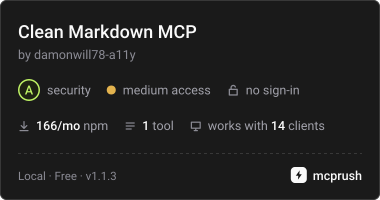
Any URL to clean, LLM-ready Markdown for RAG. Strips ads, nav, and boilerplate.
About
Any URL to clean, LLM-ready Markdown for RAG. Strips ads, nav, and boilerplate.
Security Report
This MCP server is well-structured with strong security practices for its intended purpose of converting URLs to Markdown. It implements proper SSRF protection, input validation, and error handling. Permissions align appropriately with a web scraper—network access and optional browser rendering are expected. Minor code quality observations exist but do not materially affect security. Supply chain analysis found 4 known vulnerabilities in dependencies (0 critical, 3 high severity). Package verification found 1 issue.
7 files analyzed · 9 issues found
Security scores are indicators to help you make informed decisions, not guarantees. Always review permissions before connecting any MCP server.
Permissions Required
This plugin requests these system permissions. Most are normal for its category.
How to Install
Add this to your MCP configuration file:
{
  "mcpServers": {
    "io-github-damonwill78-a11y-clean-markdown": {
      "args": [
        "-y",
        "clean-markdown-mcp"
      ],
      "command": "npx"
    }
  }
}Documentation
View on GitHubFrom the project's GitHub README.
clean-markdown-mcp
An MCP server that turns any URL into clean, LLM-ready Markdown — no ads, no nav bars, no cookie banners, no scripts.
Built for RAG pipelines and AI agents, where junk in the input means junk in the output.
Give it:  https://en.wikipedia.org/wiki/Markdown
Get back: # Markdown

          Markdown is a lightweight markup language for creating
          formatted text using a plain-text editor...
Install
npm install -g clean-markdown-mcp
Use it with Claude Desktop
Add this to your claude_desktop_config.json:
- macOS:
~/Library/Application Support/Claude/claude_desktop_config.json - Windows:
%APPDATA%\Claude\claude_desktop_config.json
{
  "mcpServers": {
    "clean-markdown": {
      "command": "npx",
      "args": ["-y", "clean-markdown-mcp"]
    }
  }
}
Restart Claude Desktop, then ask it to "scrape https://example.com to Markdown."
Works the same way in Cursor, Windsurf, or any other MCP client — point it at the
clean-markdown-mcp command.
The tool it exposes
scrape_url
| Parameter | Type | Description |
|---|---|---|
url | string | The page to scrape. Must be http:// or https://. |
includeLinks | boolean | Keep hyperlinks in the Markdown. Default true. Set false for cleaner prose. |
renderJs | boolean | Load the page in a real browser first, for JavaScript-built sites. Default false. Requires Playwright — see below. |
Returns the page title, source, word count, and the clean Markdown.
How the cleaning works
- Fetch — with a 20-second timeout, a 5 MB size cap, and redirects validated at every hop.
- Clean — runs Mozilla Readability, the engine behind Firefox Reader View, to isolate the real article and discard navigation, sidebars, ads, and comment sections.
- Convert — Turndown renders it as GitHub-flavoured Markdown, preserving headings, lists, tables, and code blocks.
If a page isn't article-shaped, it falls back to a cleaned <body> rather than
failing, so you still get usable text.
JavaScript-heavy sites (optional)
Some sites build their content with JavaScript after loading. A plain fetch returns almost nothing for those. To handle them, install Playwright once:
npm install playwright && npx playwright install chromium
Then pass renderJs: true. The difference on such a page is dramatic:
| Mode | Result |
|---|---|
| Default | ~3 words — just navigation links |
renderJs: true | ~190 words — the full content |
Playwright is not a dependency of this package, so a normal install stays
small and fast. Without it, renderJs returns a clear message telling you how to
enable it.
Security
The scraper refuses private, loopback, and link-local addresses — including cloud
metadata endpoints like 169.254.169.254 — and re-validates every redirect hop.
This matters because an MCP server runs on your machine, with access to your
local network.
Need to scrape at scale?
This package handles one page at a time, locally. For batch scraping, hosted JavaScript rendering, and a pay-per-page API with no infrastructure to run, the same engine is available as a hosted Actor:
https://apify.com/perforated_hummingbird/url-to-markdown
Known limitations
- Some sites block automated traffic. That's a site policy, not a bug here.
- Non-UTF-8 pages may render with garbled characters.
- No
robots.txtenforcement — you are responsible for how you use it.
Local development
npm install
npm run build
node dist/try.js https://example.com          # quick test
node dist/try.js https://example.com --render # with JS rendering
License
MIT
Reviews
No reviews yet
Be the first to review this server!
More Developer Tools MCP Servers
Rea
Freeby Morluto · Developer Tools
Reverse engineer anything from your terminal or agent with one CLI and MCP server.
Paperclip
Freeby Paperclipai · Developer Tools
Trending hip-hop artist momentum scores across four cultural dimensions.
Toleno
Freeby Toleno · Developer Tools
Toleno Network MCP Server — Manage your Toleno mining account with Claude AI using natural language.
MCP Marketplace
Freeby mcp-marketplace · Developer Tools
Search and install MCP servers from inside your AI client.
mcp-creator-python
Freeby mcp-marketplace · Developer Tools
Create, build, and publish Python MCP servers to PyPI — conversationally.
by Lharries · Communication
Read, search, and send WhatsApp messages through your AI assistant