
Server data from the Official MCP Registry
Build and verify Cisco Packet Tracer networks from an AI agent.
About
Build and verify Cisco Packet Tracer networks from an AI agent.
Security Report
Valid MCP server (0 strong, 2 medium validity signals). No known CVEs in dependencies. Package registry verified. Imported from the Official MCP Registry.
4 files analyzed · 1 issue found
Security scores are indicators to help you make informed decisions, not guarantees. Always review permissions before connecting any MCP server.
Permissions Required
This plugin requests these system permissions. Most are normal for its category.
How to Install
Add this to your MCP configuration file:
{
  "mcpServers": {
    "io-github-atharv-santosh-tracerlab": {
      "args": [
        "tracerlab"
      ],
      "command": "uvx"
    }
  }
}Documentation
View on GitHubFrom the project's GitHub README.
Tracerlab
MCP server for Cisco Packet Tracer 9. Lets Claude Code (or any MCP client) build networks in a running Packet Tracer: add devices, cable them, push IOS configs, address everything, set up routing, ping, and find what's broken. It can also read and write .pkt files without Packet Tracer open.
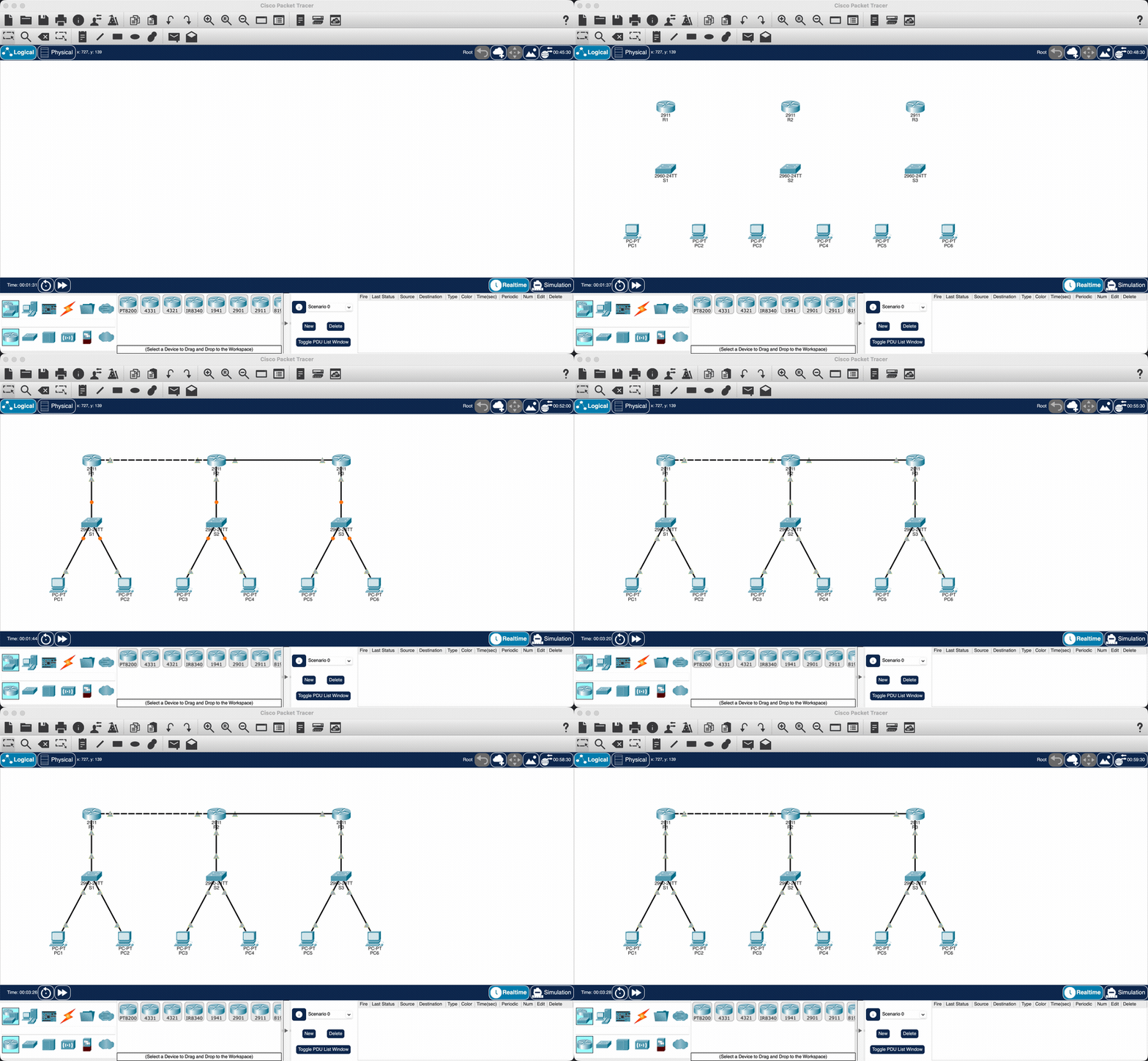
Twelve devices, twelve cables, OSPF across the ring and 6/6 pings, from one prompt.
There are also some ready-made labs (router on a stick, OSPF/EIGRP/RIP topologies, NAT, HSRP, EtherChannel, IPv6) that build in one call.
Install
Needs uv and Packet Tracer 9.
Register the server with your MCP client:
claude mcp add packet-tracer -- uvx --from tracerlab packet-tracer-mcp
Cursor (~/.cursor/mcp.json), VS Code (.vscode/mcp.json) and Codex take the same command:
{
  "mcpServers": {
    "packet-tracer": { "command": "uvx", "args": ["--from", "tracerlab", "packet-tracer-mcp"] }
  }
}
Then install the Packet Tracer side once:
uvx tracerlab install-extension
Restart Packet Tracer and answer Yes when it asks about the new script module. A small "PT-MCP Bridge" window shows up and goes green once the MCP server is running.
If something isn't connecting, run uvx tracerlab doctor.
Use
Open Packet Tracer, start Claude Code and ask for things like:
- build a 3 router OSPF ring with a PC on each LAN and ping everything
- set up router on a stick with VLANs 10, 20, 30 and DHCP
- what's wrong with this network
- show me the running config on R1
examples/enterprise-two-site.pkt is a bigger network built entirely through the tools.
Tests
uv run pytest
mcp-name: io.github.atharv-santosh/tracerlab
Reviews
No reviews yet
Be the first to review this server!
More Developer Tools MCP Servers
Rea
Freeby Morluto · Developer Tools
Reverse engineer anything from your terminal or agent with one CLI and MCP server.
Paperclip
Freeby Paperclipai · Developer Tools
Trending hip-hop artist momentum scores across four cultural dimensions.
Fetch
Freeby Modelcontextprotocol · Developer Tools
Web content fetching and conversion for efficient LLM usage
Git
Freeby Modelcontextprotocol · Developer Tools
Read, search, and manipulate Git repositories programmatically
Toleno
Freeby Toleno · Developer Tools
Toleno Network MCP Server — Manage your Toleno mining account with Claude AI using natural language.
MCP Marketplace
Freeby mcp-marketplace · Developer Tools
Search and install MCP servers from inside your AI client.