
Server data from the Official MCP Registry
Receipt tracker with no friction: receipts arrive by email and file themselves
About
Receipt tracker with no friction: receipts arrive by email and file themselves
Remote endpoints: streamable-http: https://expense.labnotes.org/mcp
Security Report
Valid MCP server (2 strong, 2 medium validity signals). No known CVEs in dependencies. Imported from the Official MCP Registry.
Endpoint verified · Requires authentication · 1 issue found
Security scores are indicators to help you make informed decisions, not guarantees. Always review permissions before connecting any MCP server.
Permissions Found in Source Code
Found by scanning the linked source code. This listing connects to a hosted endpoint, so none of this runs on your machine: it describes what the server software does where it is hosted.
How to Connect
Remote Plugin
No local installation needed. Your AI client connects to the remote endpoint directly.
Add this to your MCP configuration to connect:
{
  "mcpServers": {
    "io-github-assaf-expense": {
      "url": "https://expense.labnotes.org/mcp"
    }
  }
}Documentation
View on GitHubFrom the project's GitHub README.
Expense
Expense is a seamless receipt tracking solution: receipts are automatically sent via email, mileage uses the tax rate provided by the IRS, and a smart AI assistant does your data entry so that you can forget about the process altogether.
PRODUCT.md is the map: what the product is, how it works, the pages a person uses, the architecture and data model, and the vocabulary. This file is the front door; that one is the orientation.
Screenshots
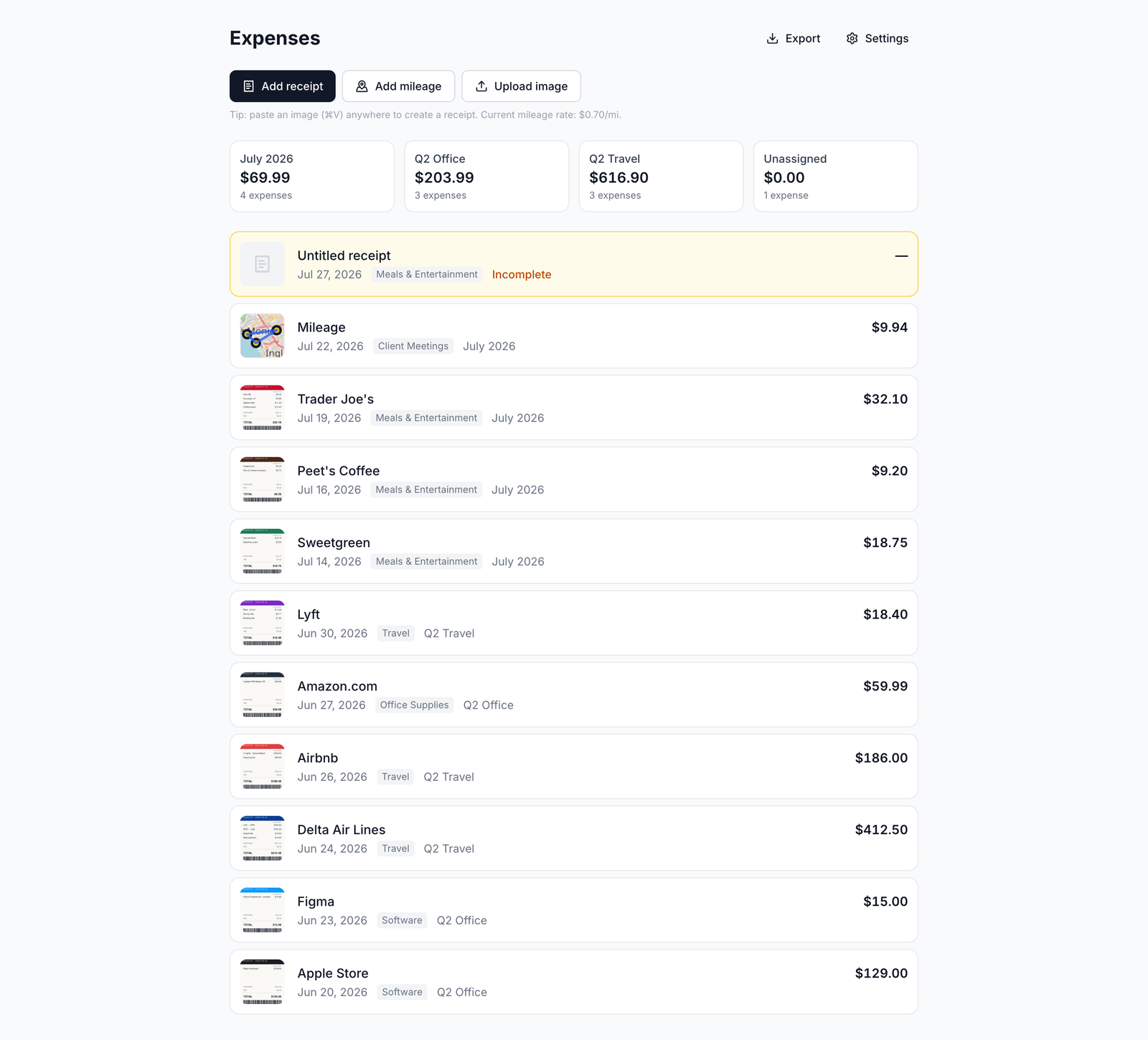
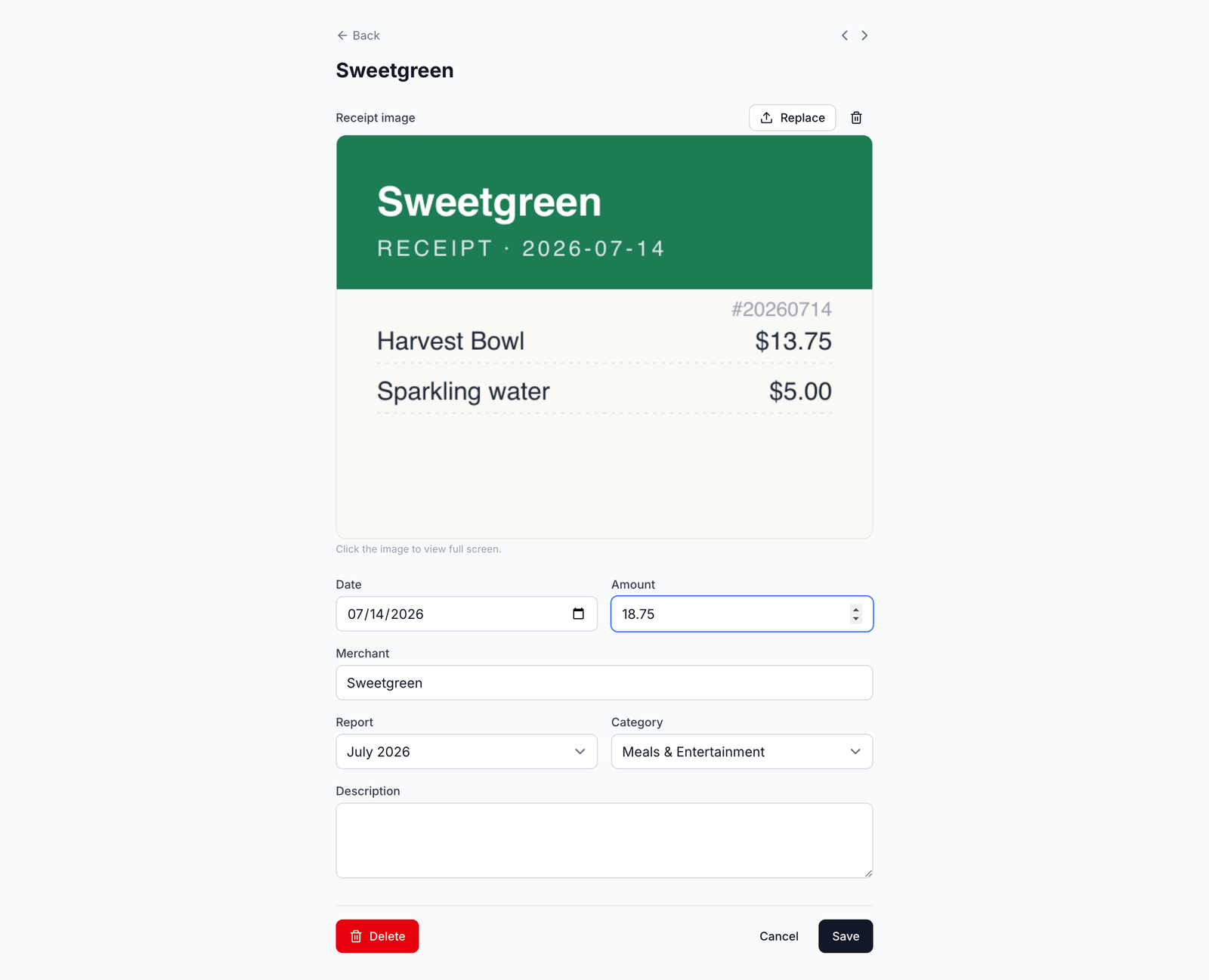
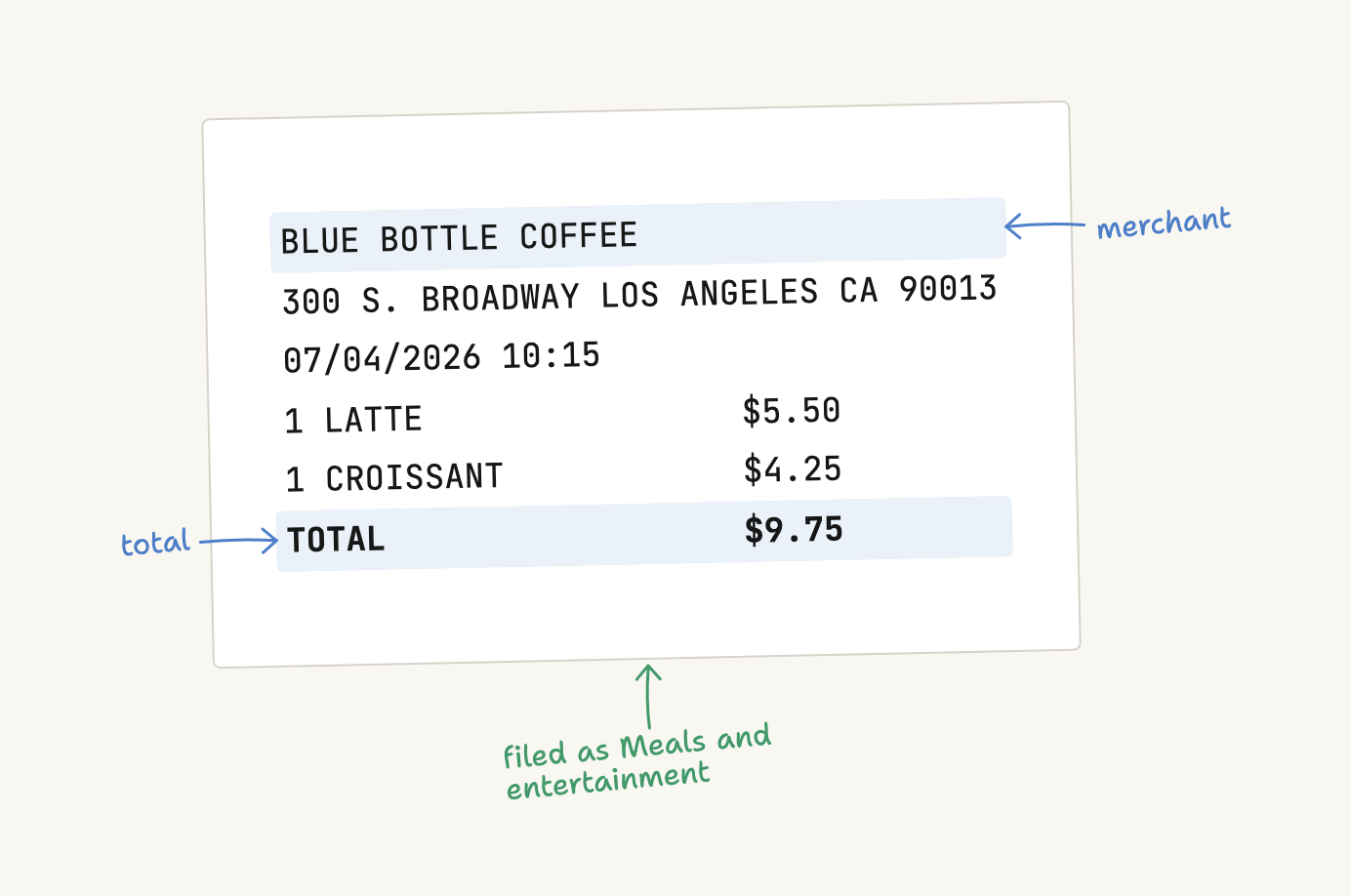
What it does
Receipts come in from a photo, a screenshot, a PDF, the clipboard, a connected Fastmail or Gmail mailbox, or an MCP assistant; each one is read for merchant, amount and category, filed under an IRS Schedule C line, and kept with its image. Drives are mapped and priced at the IRS rate for the trip date and type. The year leaves as a PDF per report, with the receipts attached, or as one ZIP of everything. A warranty document dropped on the warranties page becomes a record you can find by how soon coverage ends.
Free, no card, no ads, no paid tier. Not built for corporate expense policy, approvals, or double-entry bookkeeping. The full tour, with the pages and the rules behind each one, is in PRODUCT.md.
AI assistants (MCP)
The app speaks the Model Context Protocol at https://expense.labnotes.org/mcp.
An assistant connects with OAuth — you sign in and click Allow — so there are no
API keys. A connected assistant can capture a receipt, log a drive, answer
questions about your spending, manage reports, and match a bank statement.
// Claude — .mcp.json (no headers needed: the client discovers OAuth)
{
  "mcpServers": {
    "expense": {
      "type": "http",
      "url": "https://expense.labnotes.org/mcp"
    }
  }
}
The reference is docs/mcp.md; the tools are listed in PRODUCT.md.
Accounts
Email is the login name, hashed with scrypt, with a signed-cookie session. Everything belongs to an account; an account has several users; accounts are fully isolated from each other. Sign up for a new one, or join an existing one with the 8-character invite code in Settings. Image keys are namespaced per account, so two accounts can never collide. More detail in PRODUCT.md and docs/accounts.md.
How it is built
One app, one Postgres database, no monorepo. React Router v8 in framework mode
(SSR), where the URL tree is the filesystem; Prisma 8 contract-first, so
prisma/contract.prisma is the schema and there are no migration files; images
stored as bytes in Postgres rather than in object storage. Deployed on Vercel
plus Supabase Postgres, where a push to main deploys. The diagrams are in
PRODUCT.md.
Run it locally with pnpm dev; the environment variables, the connection
poolers and the deploy path are in docs/operations.md and
docs/deploy.md.
Documentation
| Document | What is in it |
|---|---|
| PRODUCT.md | What it is, how it works, the tour, architecture, vocabulary |
| AGENTS.md | The invariants, commands and traps that bind a change here |
| docs/files.md | Every notable file, one line each |
| docs/operations.md | Env vars, poolers, secrets, incident history |
| docs/deploy.md | Deploy ordering and the smoke checks |
| docs/extraction.md | How a receipt is read, and the caps around it |
| docs/receipts-by-email.md | The Fastmail forwarding path |
| docs/email-connections.md | Connected mailboxes and inbox review |
| docs/reconciliation.md | Matching a statement to expenses |
| docs/accounts.md | Accounts, users, invites |
| docs/mcp.md | The assistant-facing reference |
| docs/code-style.md · docs/testing.md · docs/dark-mode.md | Conventions |
Reviews
No reviews yet
Be the first to review this server!
More Finance MCP Servers
Toleno
Freeby Toleno · Developer Tools
Toleno Network MCP Server — Manage your Toleno mining account with Claude AI using natural language.
MCP Marketplace
Freeby mcp-marketplace · Developer Tools
Search and install MCP servers from inside your AI client.
mcp-creator-python
Freeby mcp-marketplace · Developer Tools
Create, build, and publish Python MCP servers to PyPI — conversationally.
FinAgent
Freeby mcp-marketplace · Finance
Free stock data and market news for any MCP-compatible AI assistant.
by Lharries · Communication
Read, search, and send WhatsApp messages through your AI assistant
Memory
Freeby Modelcontextprotocol · Productivity
Knowledge graph-based persistent memory across sessions