
Server data from the Official MCP Registry
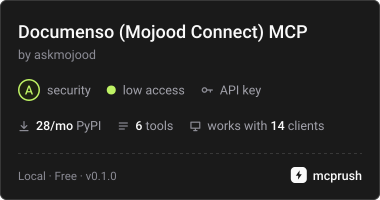
Documenso in Claude: see who hasn't signed, send reminders and drafts after a yes.
About
Documenso in Claude: see who hasn't signed, send reminders and drafts after a yes.
Security Report
Valid MCP server (1 strong, 2 medium validity signals). No known CVEs in dependencies. Package registry verified. Imported from the Official MCP Registry.
10 files analyzed · 1 issue found
Security scores are indicators to help you make informed decisions, not guarantees. Always review permissions before connecting any MCP server.
Permissions Required
This plugin requests these system permissions. Most are normal for its category.
What You'll Need
Set these up before or after installing:
Environment variable: DOCUMENSO_URL
Environment variable: DOCUMENSO_TOKEN
Environment variable: DOCUMENSO_SAMPLE
How to Install
Add this to your MCP configuration file:
{
  "mcpServers": {
    "io-github-askmojood-documenso-mcp": {
      "env": {
        "DOCUMENSO_URL": "your-documenso-url-here",
        "DOCUMENSO_TOKEN": "your-documenso-token-here",
        "DOCUMENSO_SAMPLE": "your-documenso-sample-here"
      },
      "args": [
        "mojood-documenso-mcp"
      ],
      "command": "uvx"
    }
  }
}Documentation
View on GitHubFrom the project's GitHub README.
Documenso MCP server
Ask Claude about your contracts in plain words: which ones are still waiting, who hasn't signed (and who hasn't even opened them), what happened to one document. Send reminders and drafts from the same chat, with a confirmation step before any email goes out. There is no tool that signs on anyone's behalf.
Built by Mojood Connect as a working demo for Documenso. It runs against any Documenso through its v2 public API. This repository includes a local Documenso with SAMPLE contracts for a made-up company, Harbor Trading, and a local mail catcher, so you can try it without sending a single real email.
Tools
| Tool | What it does | Changes anything? |
|---|---|---|
find_documents | Documents by status or words in the title: when each was sent, every signer's status, who still has to sign | No |
get_document | One document: its signers (signed, rejected with the reason, opened, not opened) and its history from Documenso's audit log | No |
contact_documents | Every document a person, email or company is part of | No |
needs_attention | Every signer still to sign, longest wait first, our own people flagged; rejections with the reason; drafts not sent | No |
send_reminder | Email a reminder to sign, to one signer or everyone still to sign | Emails, after confirmation |
send_draft | Send a draft to its signers | Emails, after confirmation |
How sending is made safe. A call to send_reminder or send_draft without a confirmation sends nothing: it
returns a plain summary ("Email a reminder to sign "Distribution agreement: Gulf Build Contracting" to Rashid
Al-Mutairi (rashid@gulf-build.example), sent 8.0 days ago.") and a one-time code. The email goes only when the same
request comes back with that code, within 10 minutes. A code works once, and only for the request it was issued
for. The server's instructions tell the model to show the summary and wait for the user's yes. Documenso's own
audit log records every reminder and send.
The server acts for the team that owns the API token.
Try it locally
Needs Docker (with Compose), uv, Python 3.13 and OpenSSL.
scripts/reset.sh                         # local Documenso on http://localhost:3020, filled with the SAMPLE contracts
uv run --env-file .env documenso-mcp     # MCP server on http://127.0.0.1:8007/mcp (Streamable HTTP)
Every email Documenso sends lands in Mailpit at http://localhost:8026 and goes nowhere else.
docker/compose.yml follows Documenso's own docker/production/compose.yml (v2.21.1), pinned, on 127.0.0.1 only.
scripts/up.sh makes a self-signed signing certificate, signs the demo user up through Documenso's own sign-up
endpoint and creates its API token the way Documenso stores them (the SHA-512 of the token); every secret stays in
the git-ignored files docker/.env, docker/cert.p12 and .env, and nothing is printed.
Claude Desktop: add this to claude_desktop_config.json (Settings › Developer), with the path to this folder:
{
  "mcpServers": {
    "documenso": {
      "command": "uv",
      "args": ["run", "--directory", "/path/to/documenso-mcp", "--env-file", "/path/to/documenso-mcp/.env", "documenso-mcp", "--stdio"]
    }
  }
}
Then ask: "Which contracts are still waiting on signatures, and who hasn't signed?", "Where are we with the Gulf Build agreement?", "Remind Rashid to sign it."
Your own Documenso: set DOCUMENSO_URL, DOCUMENSO_TOKEN (an API token from your team's settings) and
DOCUMENSO_SAMPLE=0.
The SAMPLE contracts
Eight one-page SAMPLE documents for Harbor Trading: a supply agreement waiting on our own countersignature, an NDA opened but not signed, a distribution agreement the customer hasn't opened in eight days, an offer letter, two completed contracts, an NDA rejected for the wrong legal entity name, and a draft. Times are set relative to the moment it is seeded. Everyone and everything in it is made up.
Tests
uv run --env-file .env pytest # unit tests (a fake Documenso API), plus live tests when the local Documenso runs
What a production version adds
This demo uses one team's API token. A production server for Documenso customers would add sign-in with each person's own Documenso account, so Claude sees exactly their teams; hosting with an audit log of every tool call; and more of the API (templates and "use template", envelopes with several files, fields, webhooks). That is what Mojood Connect builds.
License
Apache 2.0. Documenso is a trademark of Documenso, Inc.; this project is not made or endorsed by Documenso, Inc.
Reviews
No reviews yet
Be the first to review this server!
More Developer Tools MCP Servers
Rea
Freeby Morluto · Developer Tools
Reverse engineer anything from your terminal or agent with one CLI and MCP server.
Paperclip
Freeby Paperclipai · Developer Tools
Trending hip-hop artist momentum scores across four cultural dimensions.
Fetch
Freeby Modelcontextprotocol · Developer Tools
Web content fetching and conversion for efficient LLM usage
Git
Freeby Modelcontextprotocol · Developer Tools
Read, search, and manipulate Git repositories programmatically
Toleno
Freeby Toleno · Developer Tools
Toleno Network MCP Server — Manage your Toleno mining account with Claude AI using natural language.
MCP Marketplace
Freeby mcp-marketplace · Developer Tools
Search and install MCP servers from inside your AI client.