
Server data from the Official MCP Registry
Hosted MCP server connecting AI assistants to 9,000+ apps and 40,000+ actions via Zapier.
About
Hosted MCP server connecting AI assistants to 9,000+ apps and 40,000+ actions via Zapier.
Remote endpoints: streamable-http: https://mcp.zapier.com/api/v1/connect
Security Report
Valid MCP server (1 strong, 1 medium validity signals). No known CVEs in dependencies. Imported from the Official MCP Registry.
Endpoint verified · Requires authentication · 1 issue found
Security scores are indicators to help you make informed decisions, not guarantees. Always review permissions before connecting any MCP server.
Permissions Found in Source Code
Found by scanning the linked source code. This listing connects to a hosted endpoint, so none of this runs on your machine: it describes what the server software does where it is hosted.
How to Connect
Remote Plugin
No local installation needed. Your AI client connects to the remote endpoint directly.
Add this to your MCP configuration to connect:
{
  "mcpServers": {
    "com-zapier-mcp": {
      "url": "https://mcp.zapier.com/api/v1/connect"
    }
  }
}Documentation
View on GitHubFrom the project's GitHub README.





Zapier MCP Plugin Distribution
Zapier MCP gives any MCP-compatible AI client governed access to 9,000+ apps — send messages, pull data, trigger workflows, all in plain English. No code, no infrastructure, SOC 2 Type II certified. ⚡
This repo distributes the Zapier MCP plugin — the part that lives in your AI client. Install it from your client's marketplace and your assistant arrives knowing how to use Zapier well, with guided onboarding, a quick demo, and skills tailored to your role.
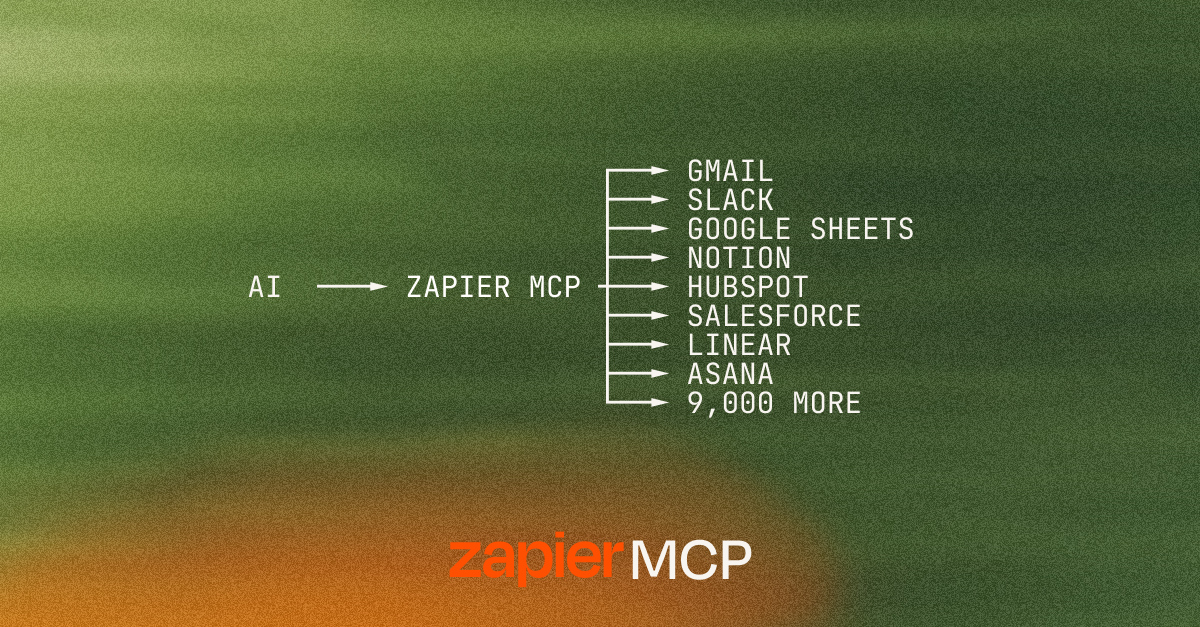
What's in this repo
plugins/zapier/: the plugin that onboards you to Zapier MCP and supercharges your experience
Getting started
Connecting Zapier MCP to your AI client only takes a server URL — see docs.zapier.com/mcp/clients for step-by-step instructions for every supported client.
A few clients also install the plugin distributed from this repo, which layers guided onboarding, a first-use demo, and role-tailored skills on top of that base connection:
- Claude Code: add
zapier/marketplaceoranthropics/claude-plugins-official - Cursor: use the badge above, or add
cursor/mcp-servers - OpenAI Codex and GitHub Copilot CLI: add
zapier/marketplace - Claude Cowork: add
anthropics/knowledge-work-plugins - Kiro: via kiro.dev/powers
- Gemini CLI:
gemini extensions install https://github.com/zapier/zapier-mcp, then/mcp auth zapier— seegemini-extension.json
VS Code connects directly to the hosted MCP server rather than through a plugin — use the badge above, or add https://mcp.zapier.com/api/v1/connect (type: http) manually.
Third-party registries
Zapier MCP is also listed on:
For contributors
- AGENTS.md: guide for AI agents working in this repo
- CONTRIBUTING.md: how to contribute
- llms.txt: LLM discovery index
Reviews
No reviews yet
Be the first to review this server!
More Productivity MCP Servers
Time
Freeby Modelcontextprotocol · Productivity
Time and timezone conversion capabilities for your AI assistant
Toleno
Freeby Toleno · Developer Tools
Toleno Network MCP Server — Manage your Toleno mining account with Claude AI using natural language.
MCP Marketplace
Freeby mcp-marketplace · Developer Tools
Search and install MCP servers from inside your AI client.
mcp-creator-python
Freeby mcp-marketplace · Developer Tools
Create, build, and publish Python MCP servers to PyPI — conversationally.
FinAgent
Freeby mcp-marketplace · Finance
Free stock data and market news for any MCP-compatible AI assistant.
by Lharries · Communication
Read, search, and send WhatsApp messages through your AI assistant