
Server data from the Official MCP Registry
Concept Maps, IBIS, Causal Loop Diagrams and Timelines as images. Runs locally via WebAssembly.
About
Concept Maps, IBIS, Causal Loop Diagrams and Timelines as images. Runs locally via WebAssembly.
Remote endpoints: streamable-http: https://mcp.vithanco.com/mcp
Security Report
Remote MCP endpoint verified (175ms response). 5 tools available. 2 trust signals: valid MCP protocol, registry import. No security issues detected.
5 tools verified · Open access · 1 issue found
Security scores are indicators to help you make informed decisions, not guarantees. Always review permissions before connecting any MCP server.
Remote servers are capped at 8.0 because source code is not available for review. The score reflects endpoint verification only.
Permissions Required
This plugin requests these system permissions. Most are normal for its category.
How to Install & Connect
Available as Local & Remote
This plugin can run on your machine or connect to a hosted endpoint. during install.
Documentation
View on GitHubFrom the project's GitHub README.
VGraph
Vithanco stands for Visual Thinking and Communication. It helps you think in a structured way by drawing typed network graphs. In a typed graph every node and every edge has a meaning of its own: in an IBIS map a Question, an Answer, a Pro and a Con are different things, and the notation says how they may be connected. The drawing becomes a way of reasoning, and a way of explaining that reasoning to someone else.
VGraph is the open-source engine behind it. It lays a typed graph out and draws it as SVG. The Vithanco Graph Language (VGL) is only the how: a small text format in which these diagrams are written down, stored and shared. The same Swift code runs natively and, compiled to WebAssembly, in the browser, in Obsidian, in VS Code and behind an MCP server, so a diagram looks the same everywhere.
vgraph decision: IBIS "Should we ship the plugin?" {
  node q1: Question "Should we ship?";
  node a1: Answer "Yes, soon";
  node p1: Pro "Users have asked for it";
  node c1: Con "Docs are still thin";
  edge q1 -> a1;
  edge a1 -> p1;
  edge a1 -> c1;
}
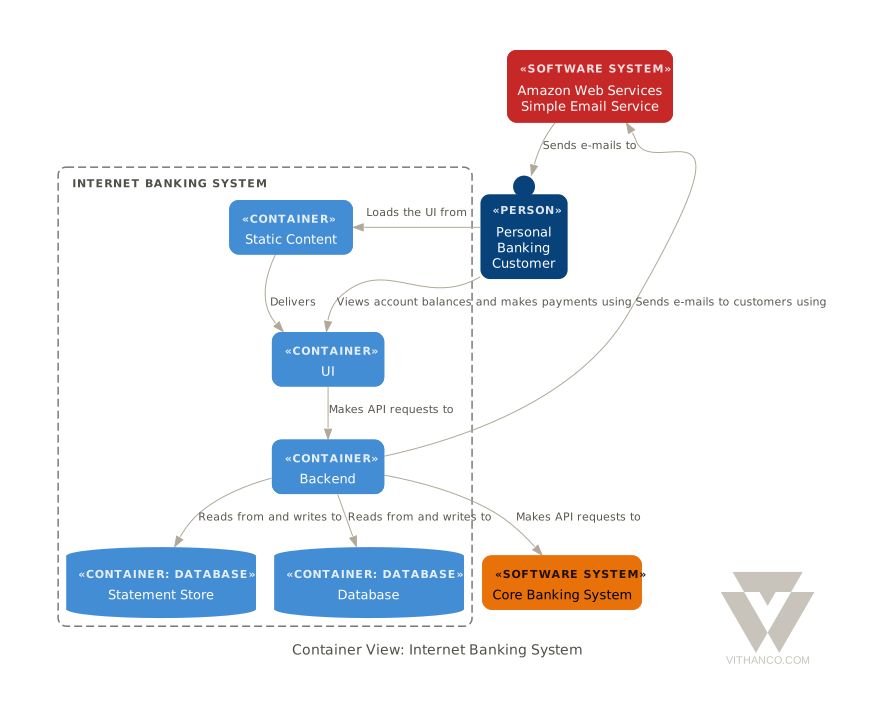
A notation is the vocabulary of a diagram: it fixes the node and edge types and how they look. Every document names one. These ship with VGraph: IBIS, BBS, Impact Mapping, Concept Map, Current Reality Tree, Evaporating Cloud, Future Reality Tree, Prerequisite Tree, Transition Tree, Attack-Defense Tree, Goal Tree, Causal Loop Diagram, Decision Tree, Timeline, C4 and Arithmetic. A document can also declare notations of its own. The VGL guide has the whole language.
Ways to use it
| Web editor | vithanco.com/editor: write VGL, see the diagram, edit it on the canvas |
| Obsidian | obsidian-vithanco: a vgl code block becomes a diagram |
| VS Code | vscode-vithanco |
| MCP server | npx @vithanco/vgraph-mcp runs it locally; https://mcp.vithanco.com/mcp is hosted. Details |
| Command line | vgraph-cli, built from this repository |
| Swift package | the VGraph, VGLanguage and VGraphSVG libraries |
Building
Two tiers, so a parser fix does not send you through a toolchain install:
- Native only.
swift buildandswift testneed nothing but a Swift 6.4 toolchain. - With the wasm build.
just build,just test, the wasm smoke tests and the editor's browser tests also need Node,jq,binaryen,wabt,justand the Embedded Swift SDK that matches.swift-version.
Install the toolchain with swiftly, then
the SDK. One bundle holds both the plain and the -embedded SDK, and its version
must equal .swift-version. The checksum is per release; take it from
swift.org's WebAssembly guide.
V=$(cat .swift-version)
swiftly install "$V" && swiftly use "$V"
swift sdk install "https://download.swift.org/swift-$V-release/wasm-sdk/swift-$V-RELEASE/swift-$V-RELEASE_wasm.artifactbundle.tar.gz" \
    --checksum <checksum for $V from the guide>
just doctor lists what is missing; a missing SDK is reported but does not fail
it.
just build     # compile everything: wasm, command line, MCP server
just test      # build, then the full suite: Swift, wasm smoke tests, editor browser tests
just           # everything else
For most changes swift test is the quick loop. The Obsidian and VS Code
plugins are separate repositories; just plugins-setup clones them next to this
one, and the build and test recipes use them when they are there.
How it is organised
VGraph is built as hexagons: a pure domain at the centre, ports that name each conversation with the outside, and adapters at the edge. The parser, the SVG renderer and the Graphviz layout are separate targets that know only the core. Why it is shaped this way and where a change goes are written down, as are the decisions behind the design (ADRs) and the visual rules (design guide).
Contributing
Pull requests are welcome, and so are issues. Start with CONTRIBUTING.md.
Licence
Apache-2.0, see LICENSE. Third-party works, among them Graphviz and the DM Sans typeface, are listed in NOTICE. The Vithanco name and logo are not covered by the licence: the artwork is all rights reserved, and a fork should use a name and a logo of its own. See graphics/README.md for what is allowed.
Reviews
No reviews yet
Be the first to review this server!
More Developer Tools MCP Servers
Rea
Freeby Morluto · Developer Tools
Reverse engineer anything from your terminal or agent with one CLI and MCP server.
Paperclip
Freeby Paperclipai · Developer Tools
Trending hip-hop artist momentum scores across four cultural dimensions.
Fetch
Freeby Modelcontextprotocol · Developer Tools
Web content fetching and conversion for efficient LLM usage
Git
Freeby Modelcontextprotocol · Developer Tools
Read, search, and manipulate Git repositories programmatically
Toleno
Freeby Toleno · Developer Tools
Toleno Network MCP Server — Manage your Toleno mining account with Claude AI using natural language.
MCP Marketplace
Freeby mcp-marketplace · Developer Tools
Search and install MCP servers from inside your AI client.