
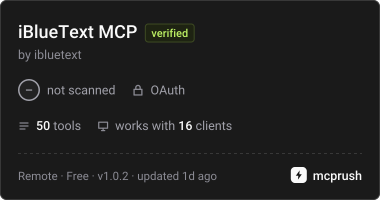
Server data from the Official MCP Registry
Send iMessage, SMS and WhatsApp from a dedicated line, run text campaigns and read replies.
About
Send iMessage, SMS and WhatsApp from a dedicated line, run text campaigns and read replies.
Remote endpoints: streamable-http: https://ibluetext.com/mcp
Security Report
Valid MCP server (3 strong, 4 medium validity signals). No known CVEs in dependencies. Imported from the Official MCP Registry.
Endpoint verified · Requires authentication · 1 issue found
Security scores are indicators to help you make informed decisions, not guarantees. Always review permissions before connecting any MCP server.
Permissions Found in Source Code
Found by scanning the linked source code. This listing connects to a hosted endpoint, so none of this runs on your machine: it describes what the server software does where it is hosted.
How to Connect
Remote Plugin
No local installation needed. Your AI client connects to the remote endpoint directly.
Add this to your MCP configuration to connect:
{
  "mcpServers": {
    "com-ibluetext-ibluetext": {
      "url": "https://ibluetext.com/mcp"
    }
  }
}Documentation
View on GitHubFrom the project's GitHub README.
iBlueText MCP server
Text your customers from your AI assistant. iBlueText sends real blue-bubble iMessage, SMS and WhatsApp from a dedicated iBlueText line, and checks which numbers are iPhones. This MCP server gives Claude, ChatGPT, Cursor and any other MCP client native tools for it: send one message or a whole campaign, read replies and lead scores, manage contacts, sequences and quick answers, and check which numbers are iPhones.
There are two ways to connect.
1. Hosted (ChatGPT, Claude, no API key)
Server URL: https://ibluetext.com/mcp (Streamable HTTP, OAuth sign-in)
- Claude: Settings › Connectors › Add custom connector › paste the URL › Connect, then sign in to iBlueText and click Allow.
- ChatGPT: Settings › Apps (Developer mode) › create an app with the URL, then sign in and Allow.
- Any remote-MCP client: use the URL; the client discovers OAuth from
/.well-known/oauth-protected-resource.
22 tools with plain verb names (send_message, create_campaign, check_iphones, list_conversations, ...). Full list and example prompts: https://ibluetext.com/ai-assistants
2. Local package with an API key (developers, 28 tools)
- Create an API key at https://ibluetext.com/portal/integrations.php
- Add this to your MCP client config (for example Claude Desktop
claude_desktop_config.json):
{
  "mcpServers": {
    "ibluetext": {
      "command": "npx",
      "args": ["-y", "ibluetext-mcp"],
      "env": { "IBT_API_KEY": "sk-ibt-your_key_here" }
    }
  }
}
Claude Code: claude mcp add ibluetext --env IBT_API_KEY=sk-ibt-... -- npx -y ibluetext-mcp
The package adds SMS verification, verify-widget sites and reply webhooks to the hosted tool set.
Tools
Account: ibt_balance · ibt_lines
Lookup: ibt_lookup (which numbers are iPhones; waits for results) · ibt_lookup_status
Send: ibt_send (one iMessage/SMS; channel, attachments, effects, quote-reply, scheduling) · ibt_send_status · ibt_react (tapbacks)
Campaigns: ibt_campaign_create (a whole list: iMessage, SMS, auto-detect or WhatsApp, with {merge} fields) · ibt_campaigns · ibt_campaign_status · ibt_campaign_pause
WhatsApp: ibt_whatsapp_send · ibt_whatsapp_status · ibt_whatsapp_numbers (warm-up, today's limit, reply rate, health)
Contacts & CRM: ibt_conversations (transcripts + lead score) · ibt_conversation_ai · ibt_quick_answers / ibt_quick_answer_set · ibt_contact / ibt_contact_update · ibt_contacts · ibt_sequences / ibt_sequence_enroll
Webhooks: ibt_webhooks / ibt_webhooks_set
Verification: ibt_verify_start / ibt_verify_check · ibt_create_site (SMS-Verify widget)
Notes
- Paid actions return HTTP 402 when the account is out of credits or has no active line. The tool result is flagged
payment_required: true; a person adds credits or a line in the iBlueText dashboard. - Opt-outs (STOP) and each line's daily new-contact limit always apply.
- WhatsApp numbers warm up from 10 new conversations on day 1 to 300/day by day 21; someone who never replied gets at most 3 messages; under 15% replies over 7 days halves the daily limit. Open with a question like "Hey, is this {first_name}?".
- Local dev:
IBT_API_KEY=sk-ibt-... node index.js(MCP over stdio). Tests:npm test(starts the server over stdio, no key or network needed). - Security: your API key is only ever sent to
https://ibluetext.com/api/v1(the address is fixed in the code, not configurable). Every tool is annotated: reads arereadOnlyHint, and tools that message a real person (send, campaign, WhatsApp, verify) aredestructiveHint+openWorldHint, so clients can ask before they run. - REST API: https://ibluetext.com/docs/ · OpenAPI: https://ibluetext.com/openapi.json · For AI agents: https://ibluetext.com/llms.txt
Support
russ@ibluetext.com · Privacy · Terms
MIT licensed. iBlueText is a product of RG Loomis LLC.
Reviews
No reviews yet
Be the first to review this server!
More Developer Tools MCP Servers
Rea
Freeby Morluto · Developer Tools
Reverse engineer anything from your terminal or agent with one CLI and MCP server.
Paperclip
Freeby Paperclipai · Developer Tools
Trending hip-hop artist momentum scores across four cultural dimensions.
Fetch
Freeby Modelcontextprotocol · Developer Tools
Web content fetching and conversion for efficient LLM usage
Git
Freeby Modelcontextprotocol · Developer Tools
Read, search, and manipulate Git repositories programmatically
Toleno
Freeby Toleno · Developer Tools
Toleno Network MCP Server — Manage your Toleno mining account with Claude AI using natural language.
MCP Marketplace
Freeby mcp-marketplace · Developer Tools
Search and install MCP servers from inside your AI client.